Device Connectivity Service Manage
Description
Device Connectivity Service Management includes Device Connectivity Service and Third-party Device Connectivity Service. Device Connectivity Service connects devices directly, while Third-party Service connects devices via third-party platforms.
Role of Device Connectivity Plugins
Compatibility and Interoperability: By supporting multiple communication protocols and platforms, the Device Connectivity Service ensures compatibility and interoperability between different devices, which is key to the success of the IoT ecosystem.
Scalability: As new technologies and standards emerge, IoT systems may need to support new communication protocols. Device Connectivity Plugins allow the system to easily extend its functionality by simply adding new plugins without redesigning the entire system.
Modularity: Device Connectivity Plugins provide a modular approach to handling communication tasks, making system maintenance and upgrades easier.
Customization: Different applications may require different communication behaviors or optimizations. The Device Connectivity Service allows developers to customize or optimize specific communication protocols to meet specific application needs.
Steps
- Click App Management - Plugin Management to enter the protocol management page.
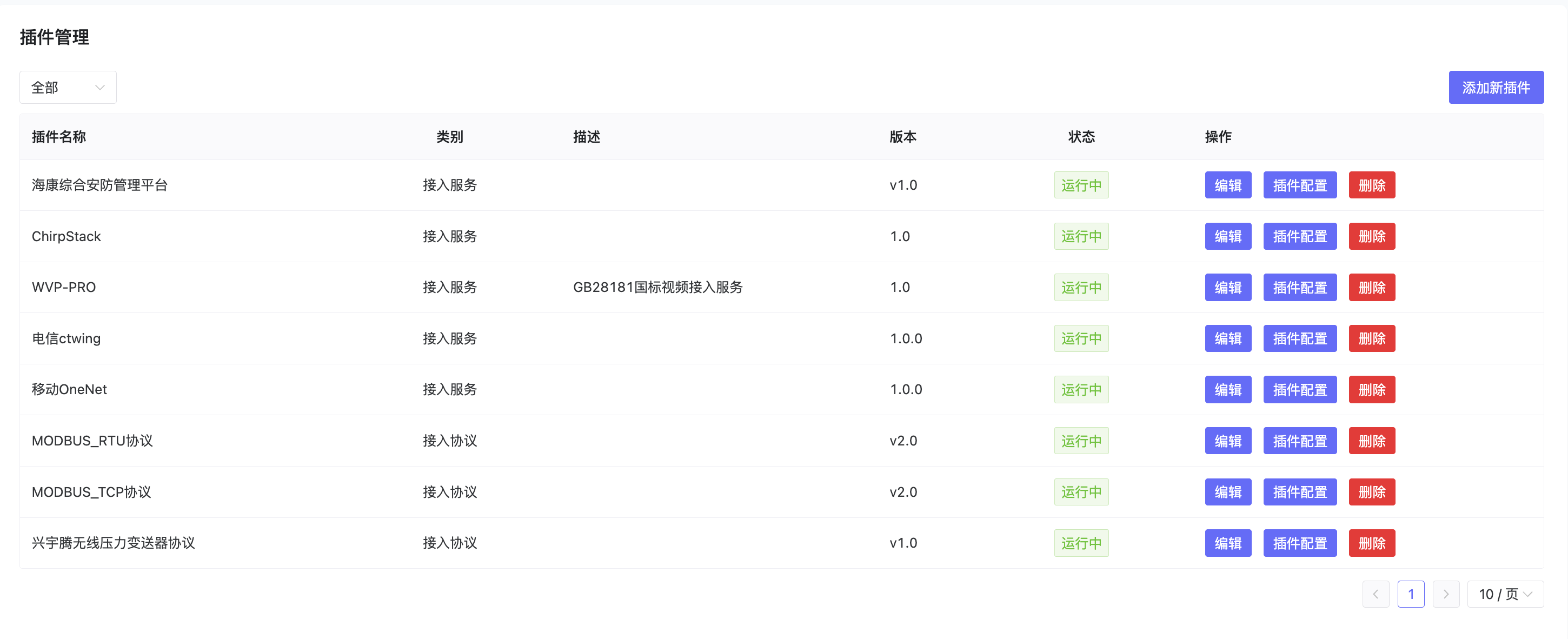
- Device Connectivity Services can only be added by System Administrators. You need to log in as a System Administrator.
- Currently supports creation, editing, and deletion of a protocol.
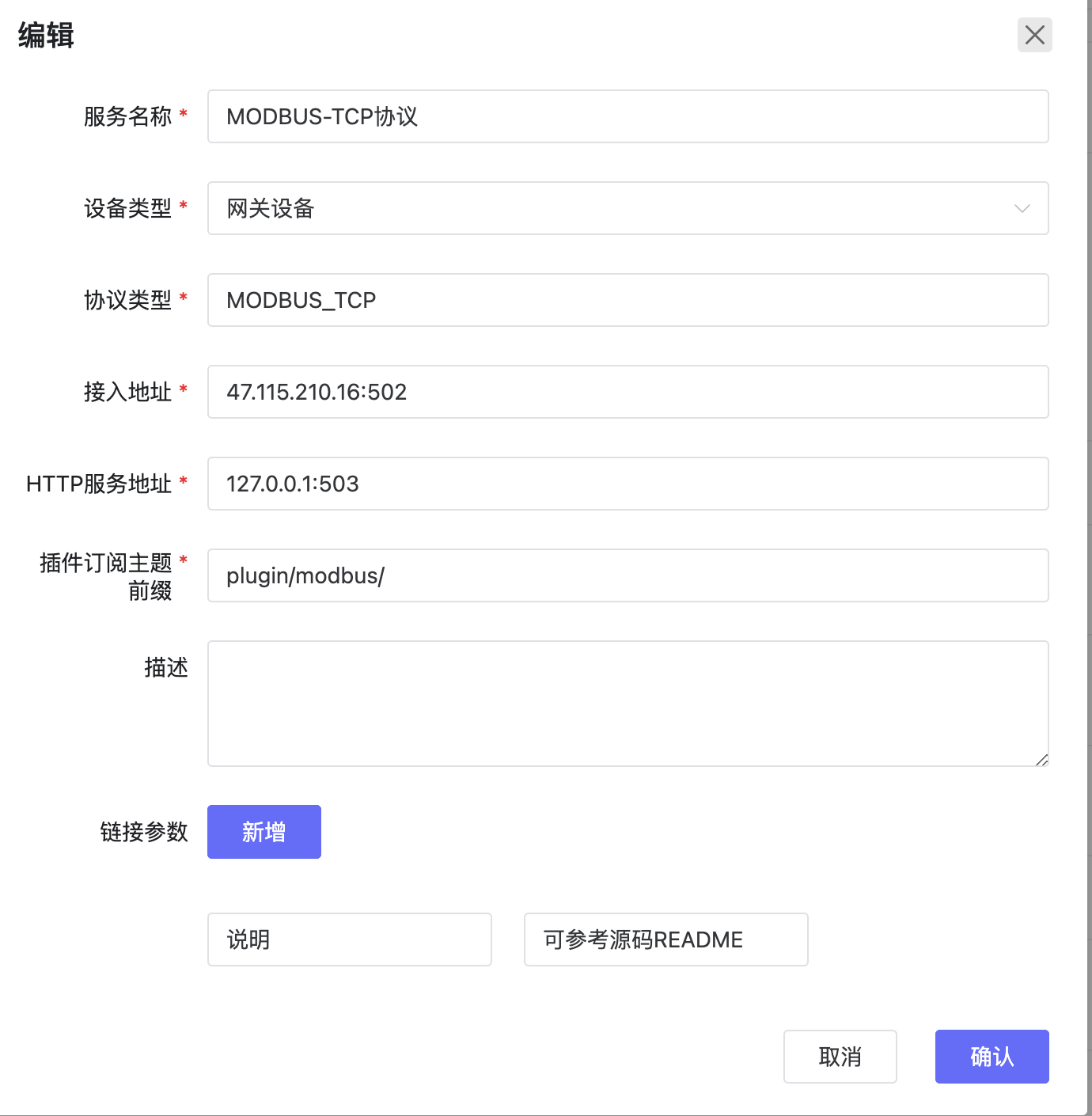
Configuration Reference
- Please refer to the README of each protocol plugin in the code repository to configure and understand the Device Connectivity Service.
Code Respository