Firmware Upgrade (OTA)
OTA stands for "Over-The-Air technology", which enables remote management of software through mobile communication interfaces. Simply put, it is remote firmware upgrading.
Function Description
- Upgrade Package Management: Add upgrade packages for different versions of different products.
- Task Management: Create upgrade tasks, set upgrade time (immediate or scheduled), select devices to upgrade (all or partial).
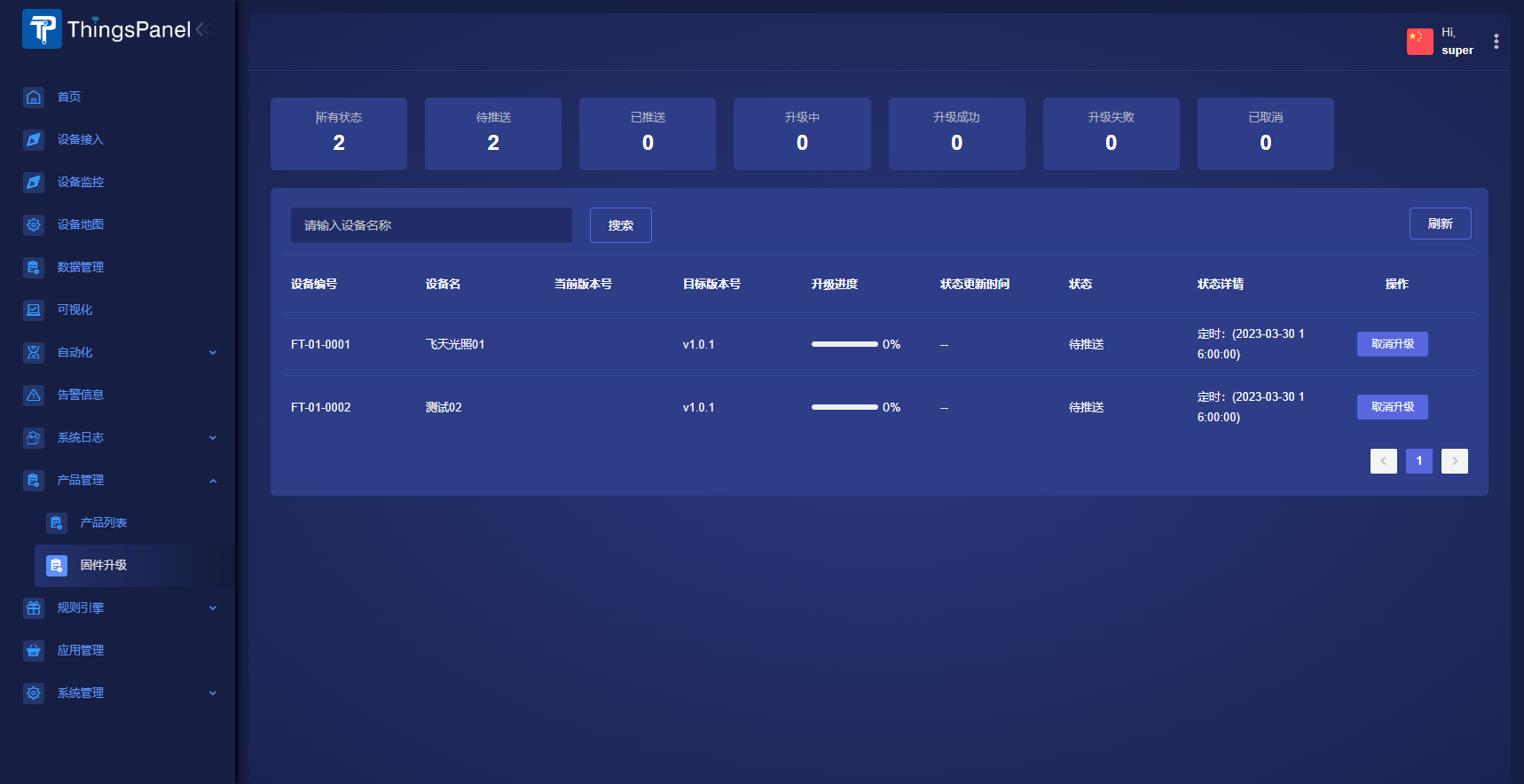
- Upgrade Report: View statistics of Pending, Pushed, Upgrading, Success, Failure, and Cancelled. View upgrade progress, and retry failed upgrades.
OTA Upgrade Process
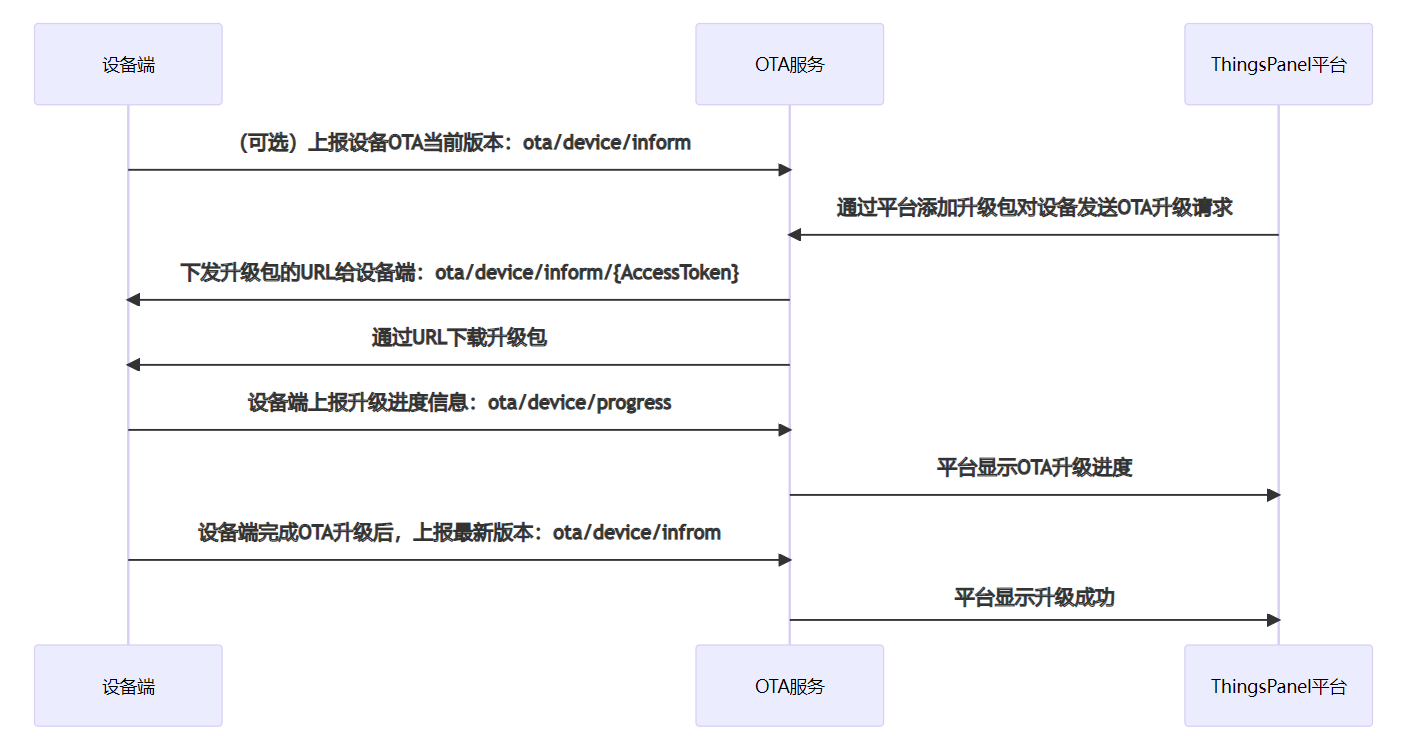
The OTA upgrade process under MQTT protocol is shown below.
OTA Upgrade Description
- If the device needs to report the version number before the first upgrade, it is recommended to report it once during system startup, without periodic reporting. After a successful upgrade, report the version immediately.
- After receiving the upgrade notification from the IoT platform, the device can download the upgrade package immediately or fetch upgrade info later when idle.
- The IoT platform determines if the OTA upgrade is successful based on whether the progress reported by the device is 100%.
- For upgrading devices, if the pushed version matches the current version, the platform defaults to pushing the latest version info 3 times. The 4th time counts as failure (retry allowed).
- Supports breakpoint resume (see interface docs).
Data Format Description
Topics and data formats used in OTA:
-
(Optional) Device connects to OTA service and reports version. Device pushes current OTA module version to Topic:
ota/device/inform.{
"id": "147258369",
"params": {
"version": "v1.0.1",
"module": "default"
}
}Param Type Description id String Message ID. Length 10, unique in current device. version String OTA module version. module String OTA module name. 'default' represents entire firmware. -
After triggering upgrade in console, device receives upgrade package URL. Device subscribes to Topic:
ota/device/inform/\$\{AccessToken\}.{
"id":"147258369",
"code": 200,
"params":{
"version":"v1.1",
"size":432945,
"url":"http://dev.thingspane.cn/files/ota/s121jg3245gg.zip",
"signMethod":"Md5",
"sign":"a243fgh4b9v",
"module":"MCU",
"extData":{
"key1":"value1",
"key2":"value2"
}
}
}Param Type Description id Long Message ID. code String Status code. version String Upgrade package version. size Long File size (bytes). url String Storage URL on OSS. sign String File signature. signMethod String Sign method (SHA256, MD5). Android diff supports MD5 only. module String Module name. Default module implies no module param. extData Object Custom info. _package_udi is reserved. -
During upgrade, device reports progress to Topic:
ota/device/progress.{
"step":"100",
"desc":"Upgrade Progress 100%",
"module": "MCU"
}Param Type Description step String Progress percentage (1-100). -1: Failed. -2: Download failed. -3: Check failed. -4: Write failed. desc String Description (<128 chars). Can carry error info on exception. module String Module name. Optional.
Operation Steps
Product Management->Firmware Upgrade->Add Upgrade Package.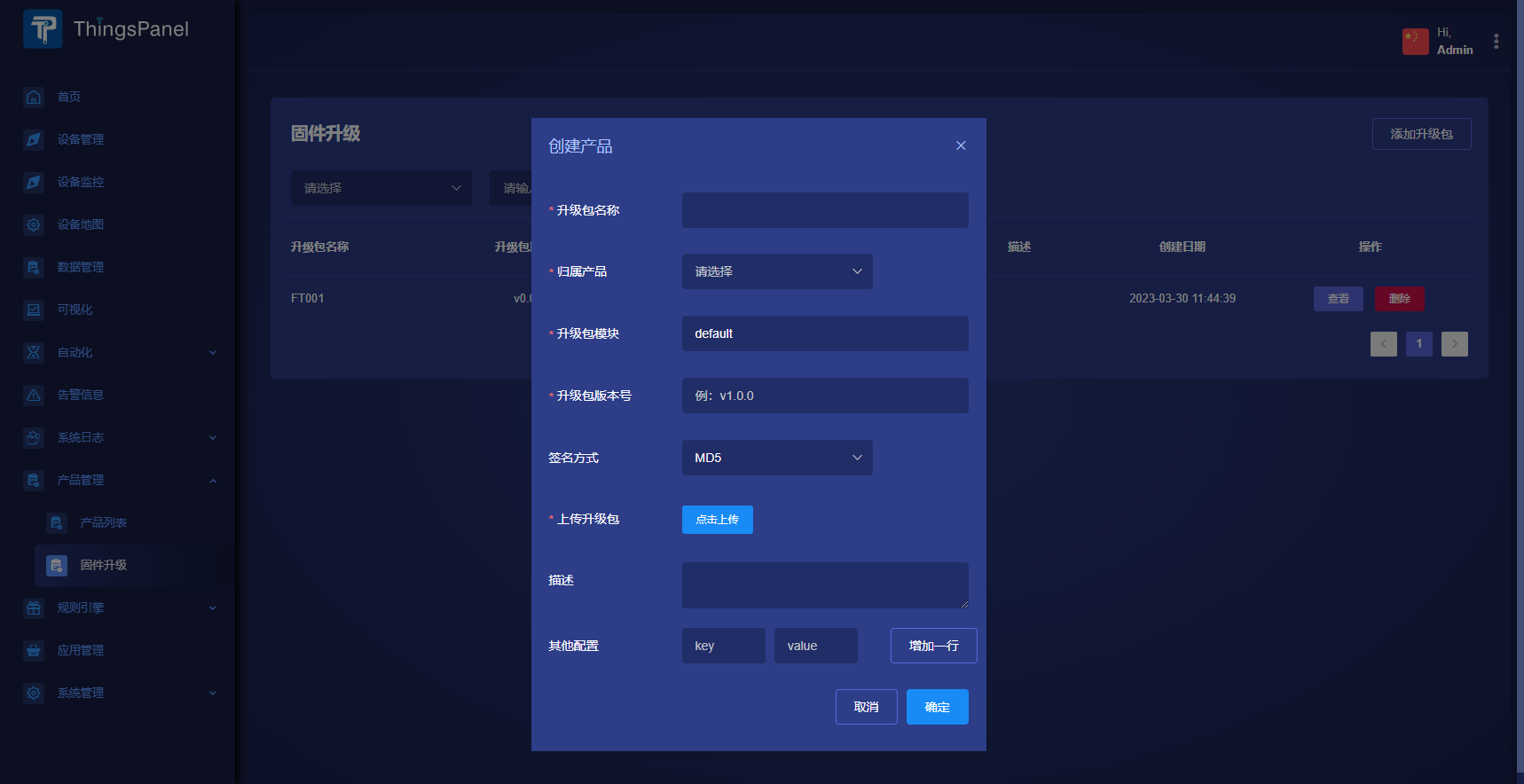
- Click
Viewto enter Task List.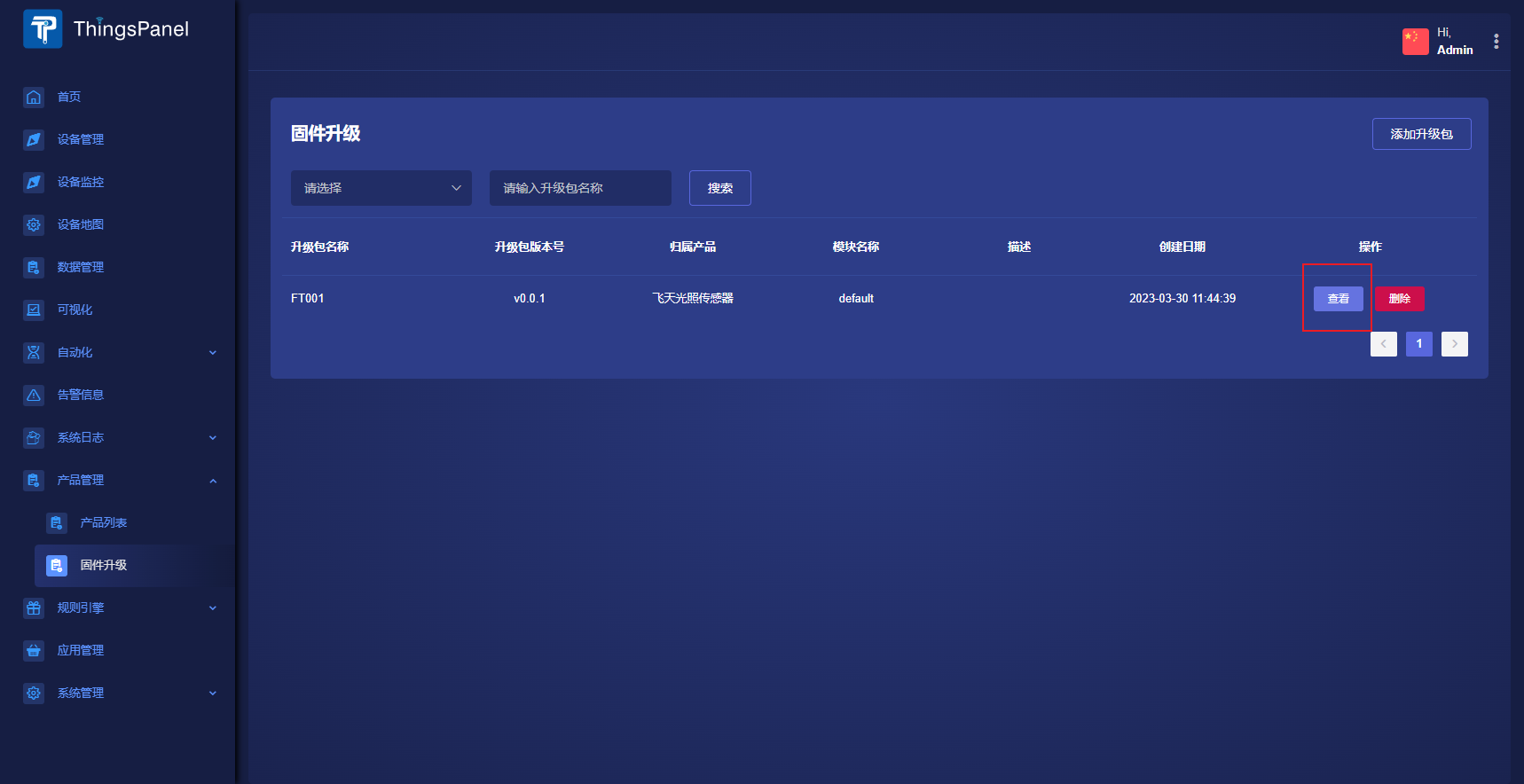
- Click
Add Upgrade Task.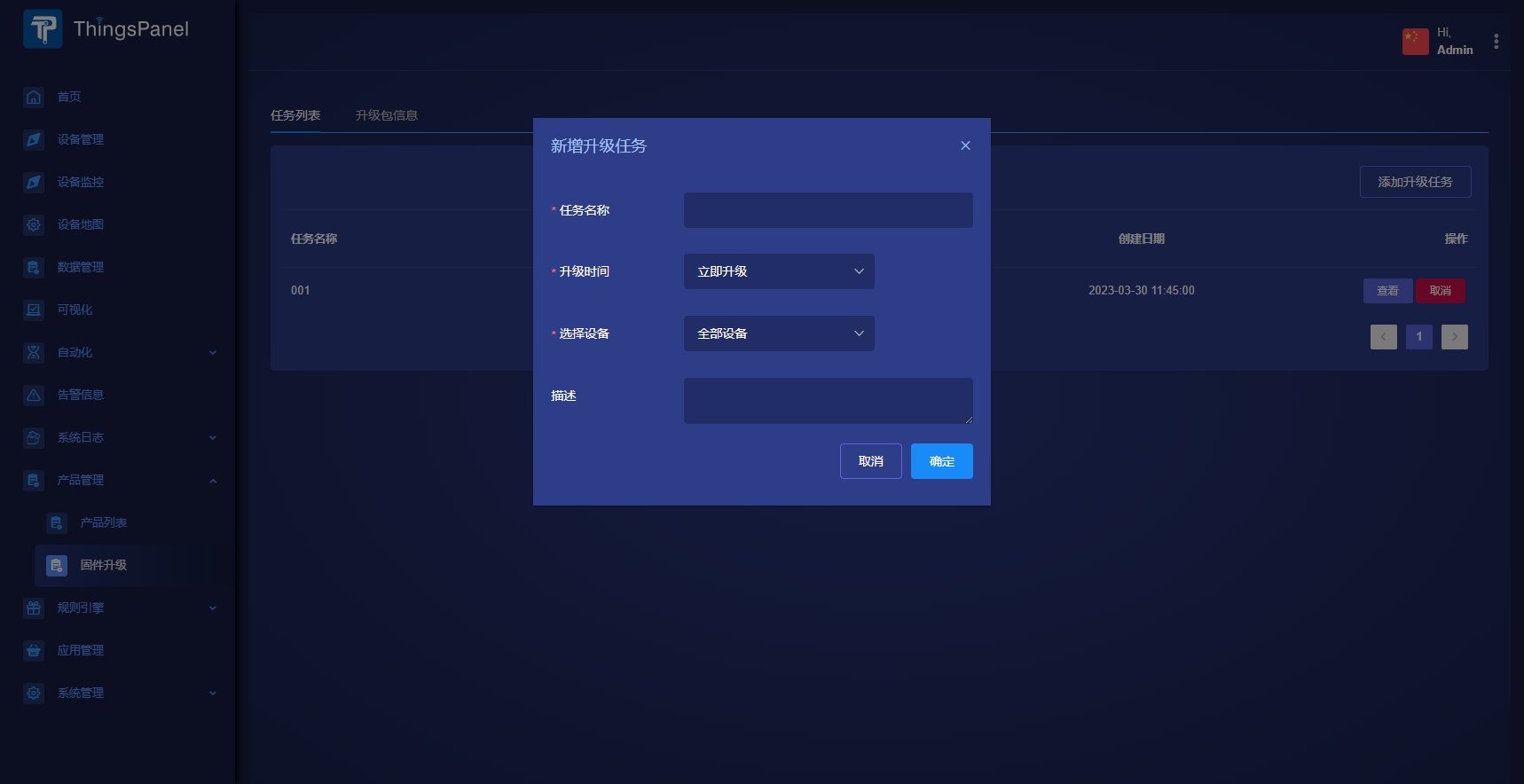
- Click
Viewto enter Upgrade Details. View progress, retry failures, or cancel.