
Notification Group

1. Description

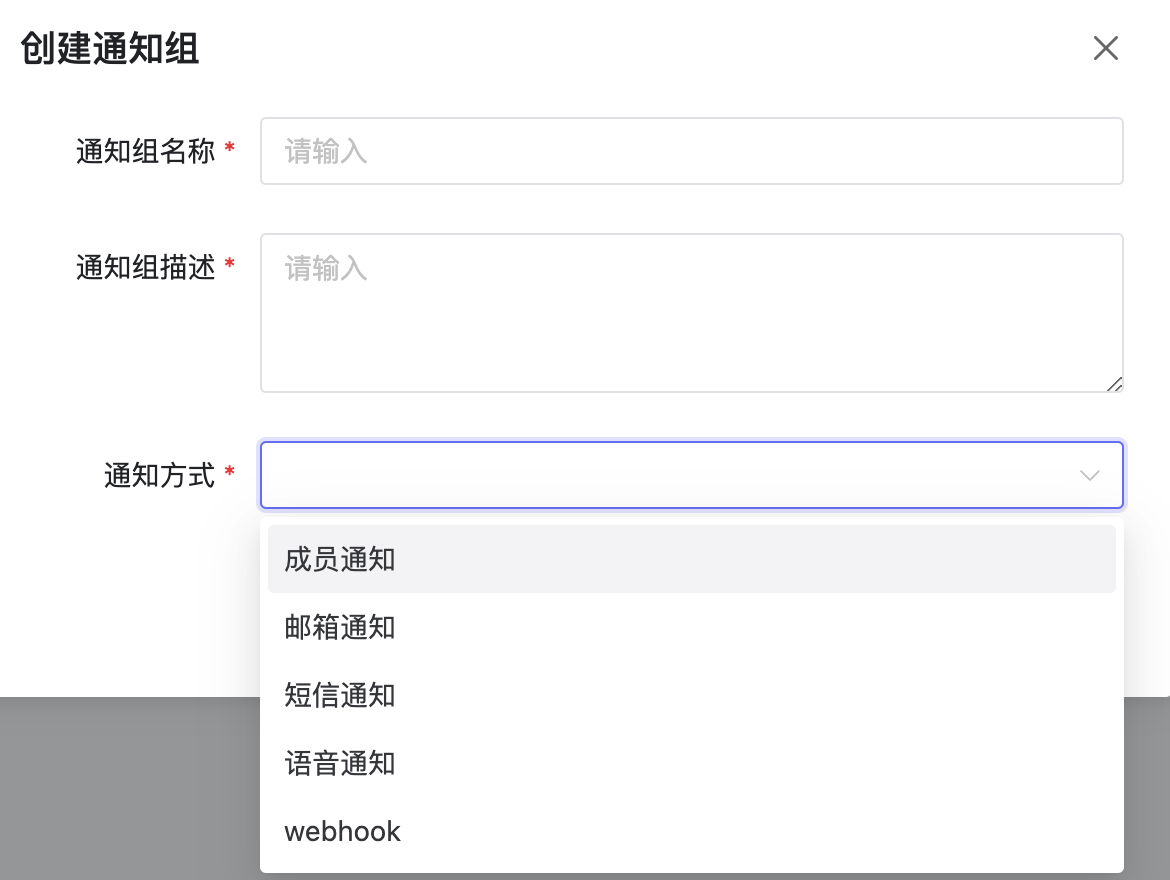
  • Configure different notification groups. Currently supports member notification, email notification, SMS notification, voice notification, and webhook notification.
  • Newly created notification groups are in inactive status by default and need to be enabled before use.
2. Operations

2.1 Create Notification Group

  • Click Add button to create a notification group. Create Group

2.2 Edit Notification Group

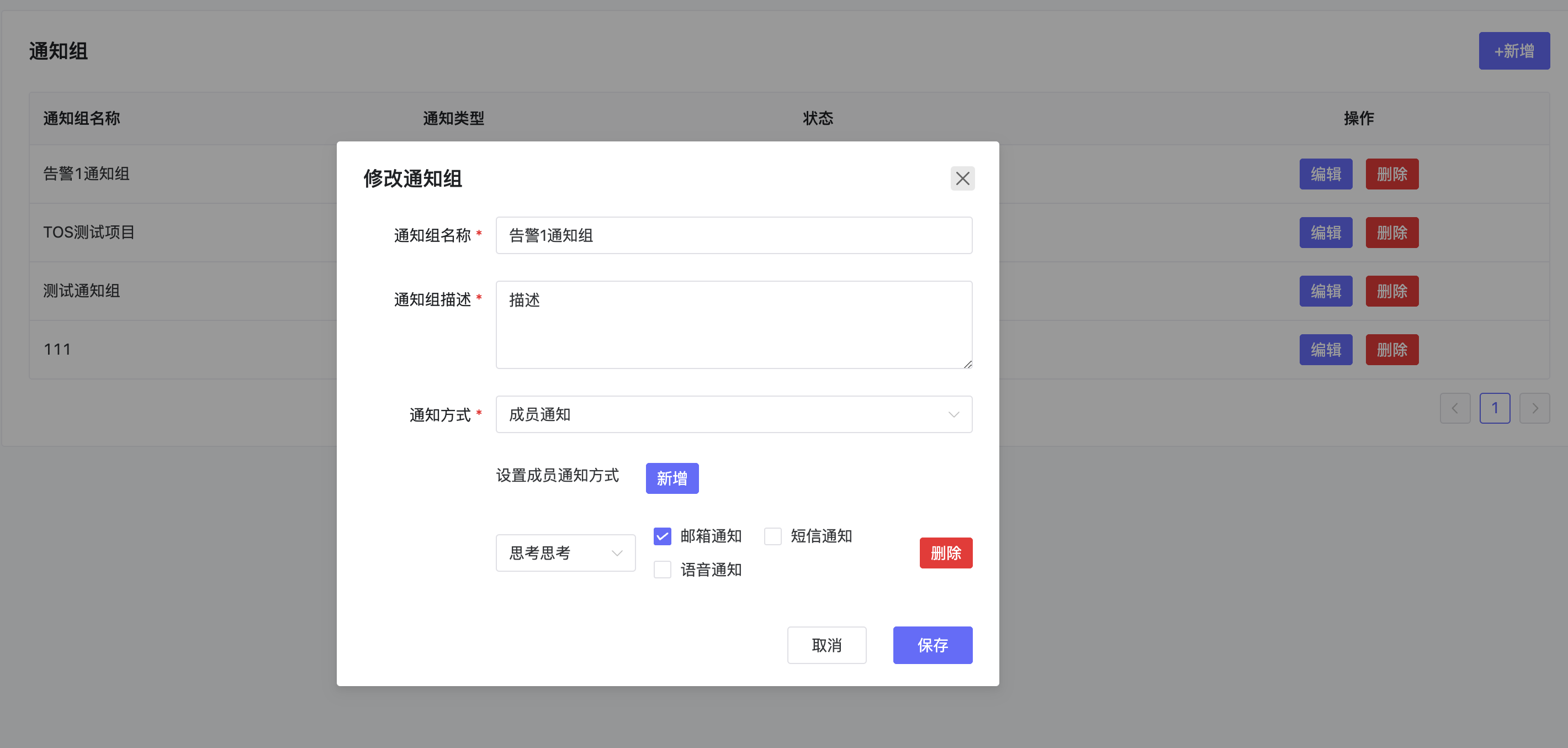
  • Select a notification group and click Edit to modify its content. Edit Group

2.3 Enable/Disable Notification Group

  • Click Status to enable/disable the notification group.

2.4 Delete Notification Group

  • Click Delete to remove the notification group.