1. Description
- View alarm logs and create notification rules.
2. Operations
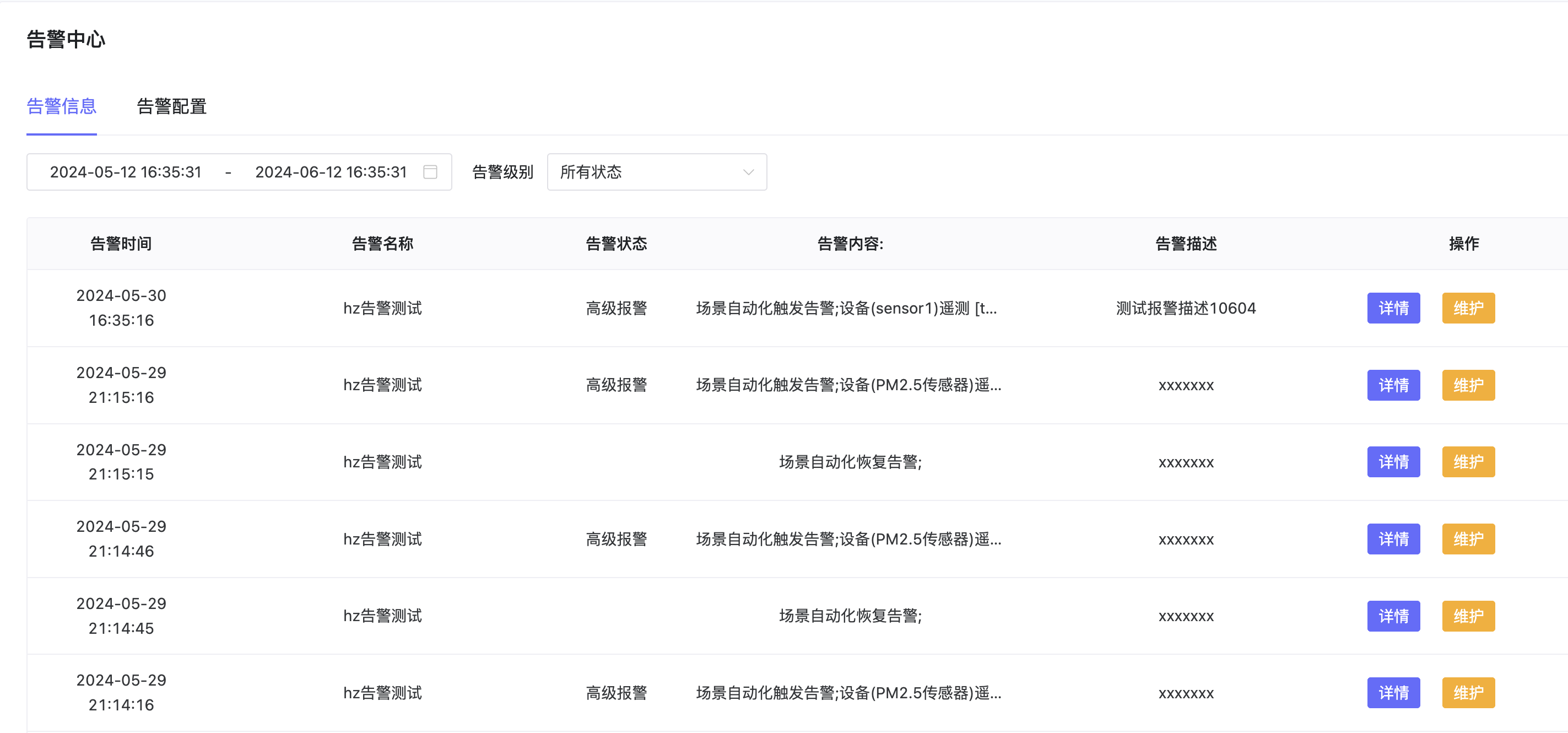
2.1 View Alarm Logs
- Click Alarm Information in Alarm Logs to view all alarm logs. Filter by alarm time period and level.
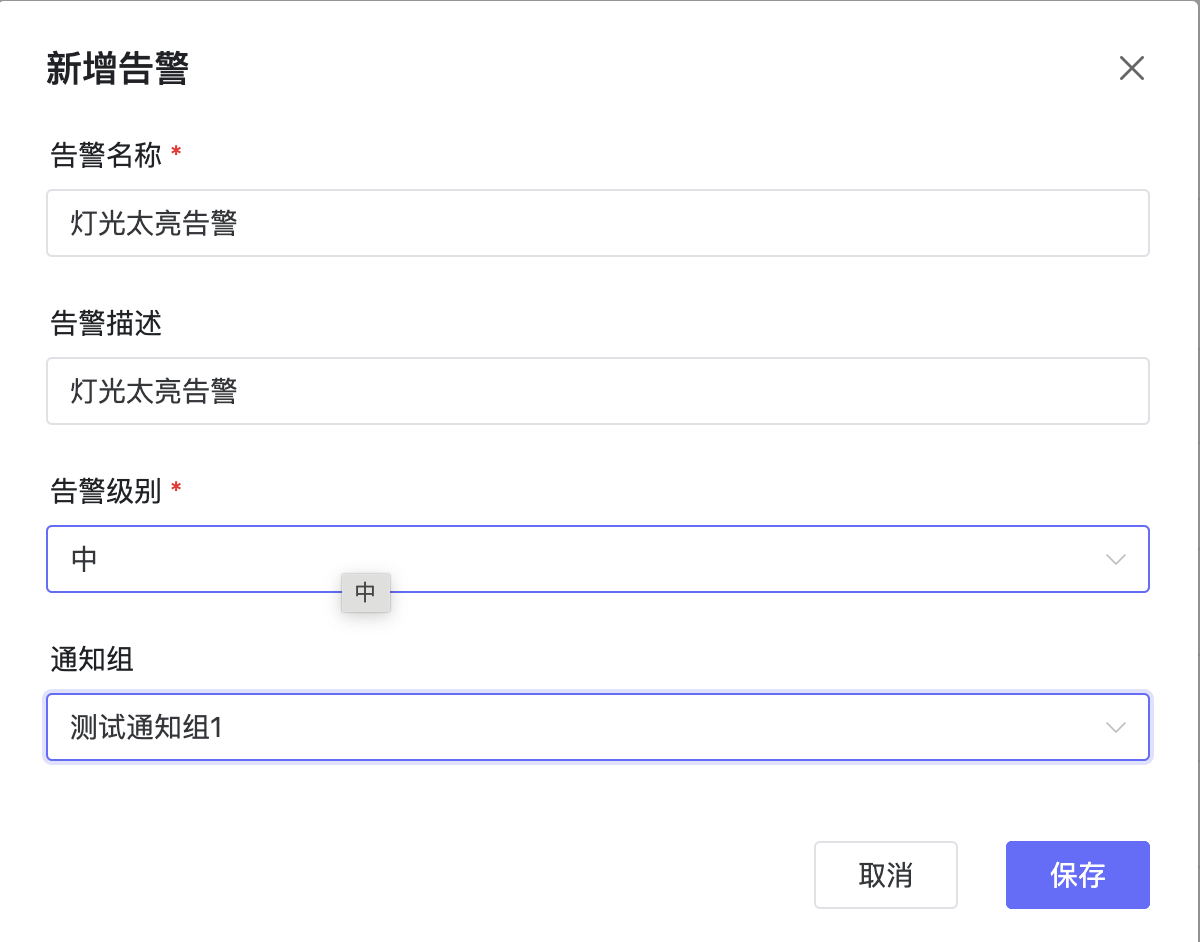
2.2 Create Alarm Rule
- Click Alarm Config - New Alarm to create a new alarm configuration.
2.3 Edit Alarm
- Select an alarm and click Edit to modify alarm info.
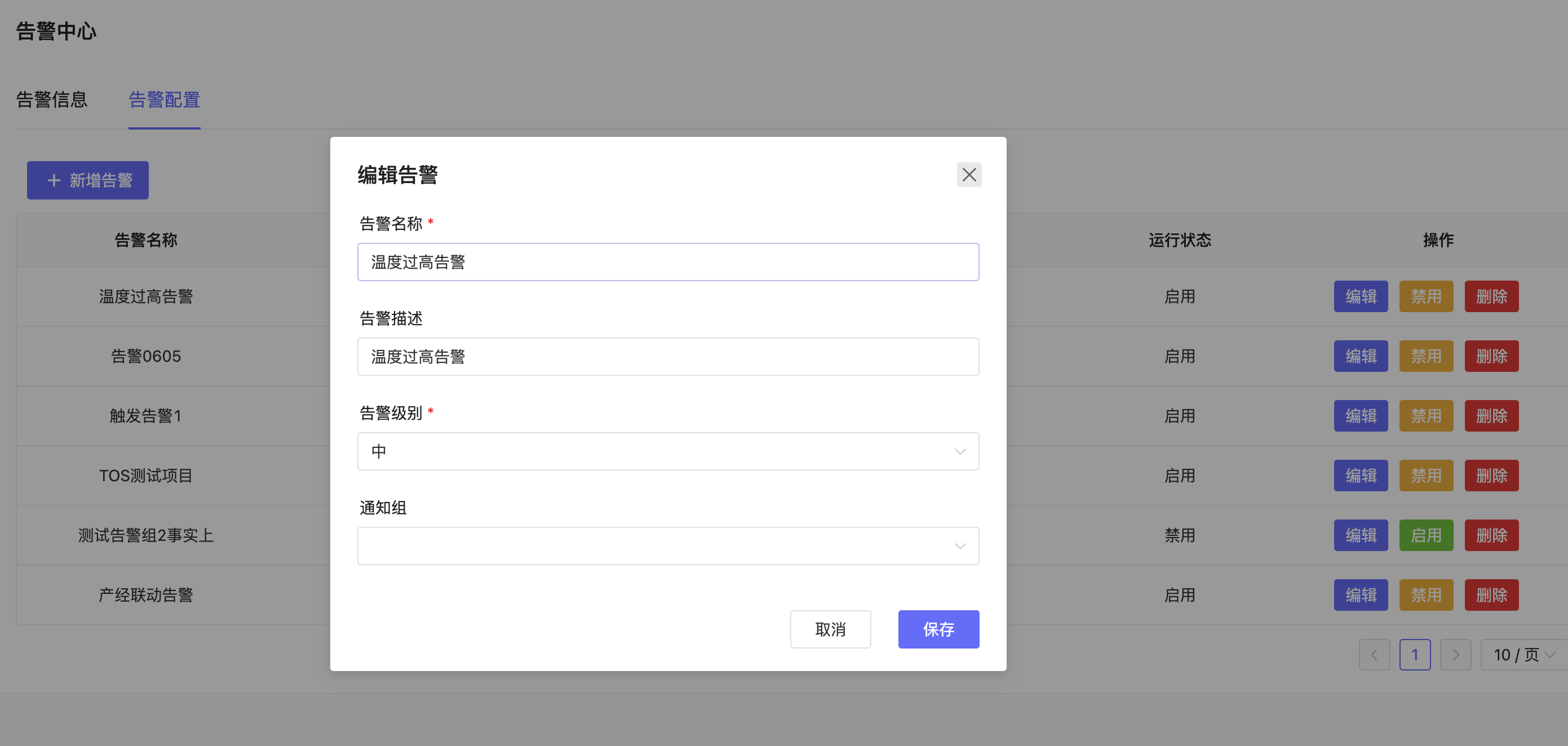
2.4 Enable/Disable Alarm
- Click Enable/Disable to toggle alarm status. Disabled alarms will not be triggered.
2.5 Delete Alarm
- Click Delete to remove an alarm.