Non-Standard MQTT Protocol
Problems
-
MQTT Device/Gateway
Send and Subscribe Topicsare inconsistent with platform and cannot be modified. How to access ThingsPanel? -
MQTT Device/Gateway
JSON Message Formatis inconsistent with platform specs. How to access ThingsPanel?
Use MQTT Topic Message Converter
Solves both topic and message conversion. It is an external converter implementing a simple broker, performing transformation internally. Data flow: Device -> MQTT Converter -> ThingsPanel MQTT Broker -> ThingsPanel Platform. See code README for details.
Repository: https://github.com/ThingsPanel/mqtt-converter.git
Video Tutorial: https://www.bilibili.com/video/BV1Zh4y127Za/?spm_id_from=333.337.search-card.all.click&vd_source=3205f3f58f033fa90037cb65ee98074c
Use Data Processing Script in Edit Parameters
Solves the second problem.
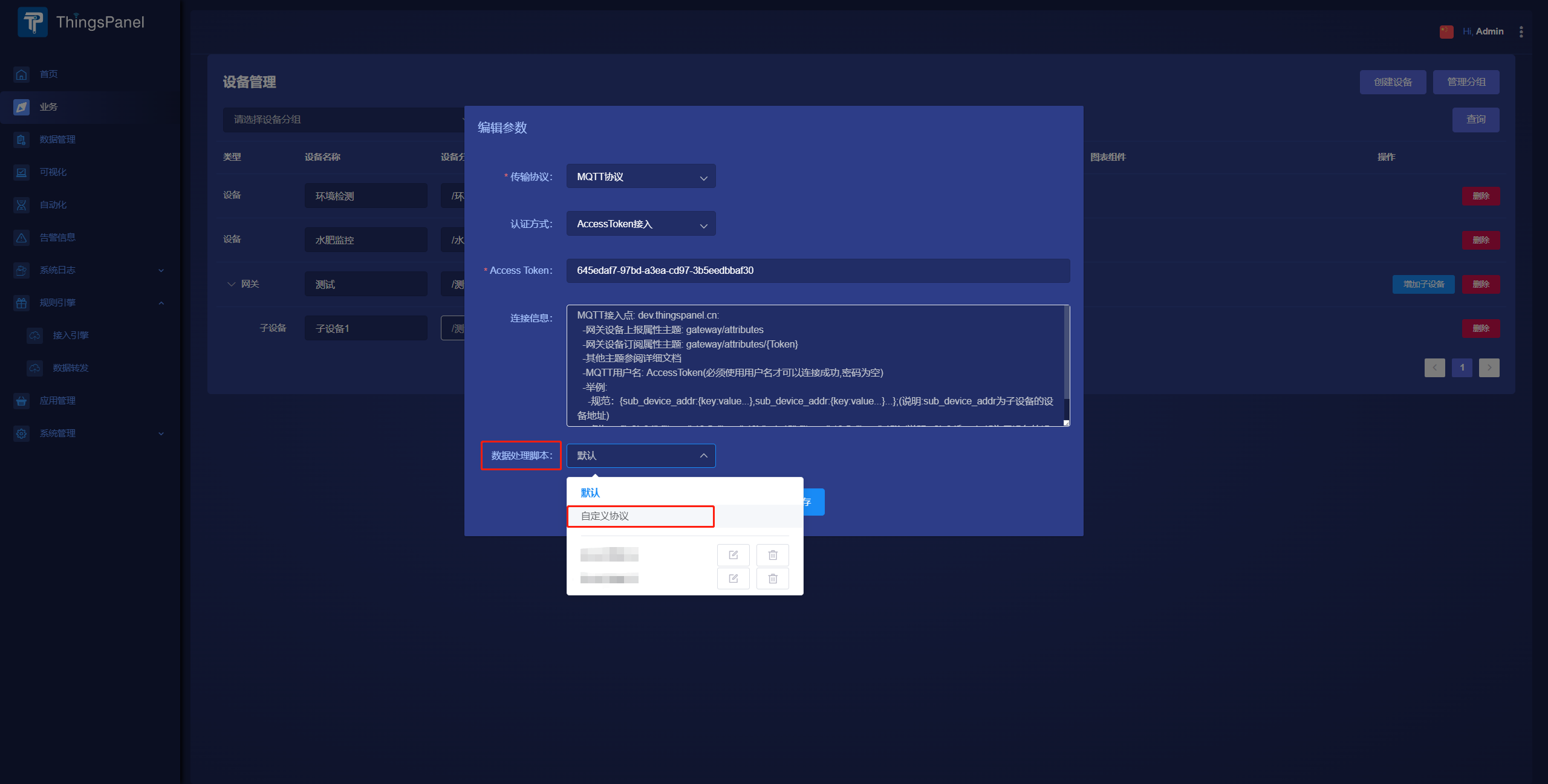
- After creating device, click Edit Params, select
Custom Protocolin Data Processing dropdown. - Enter
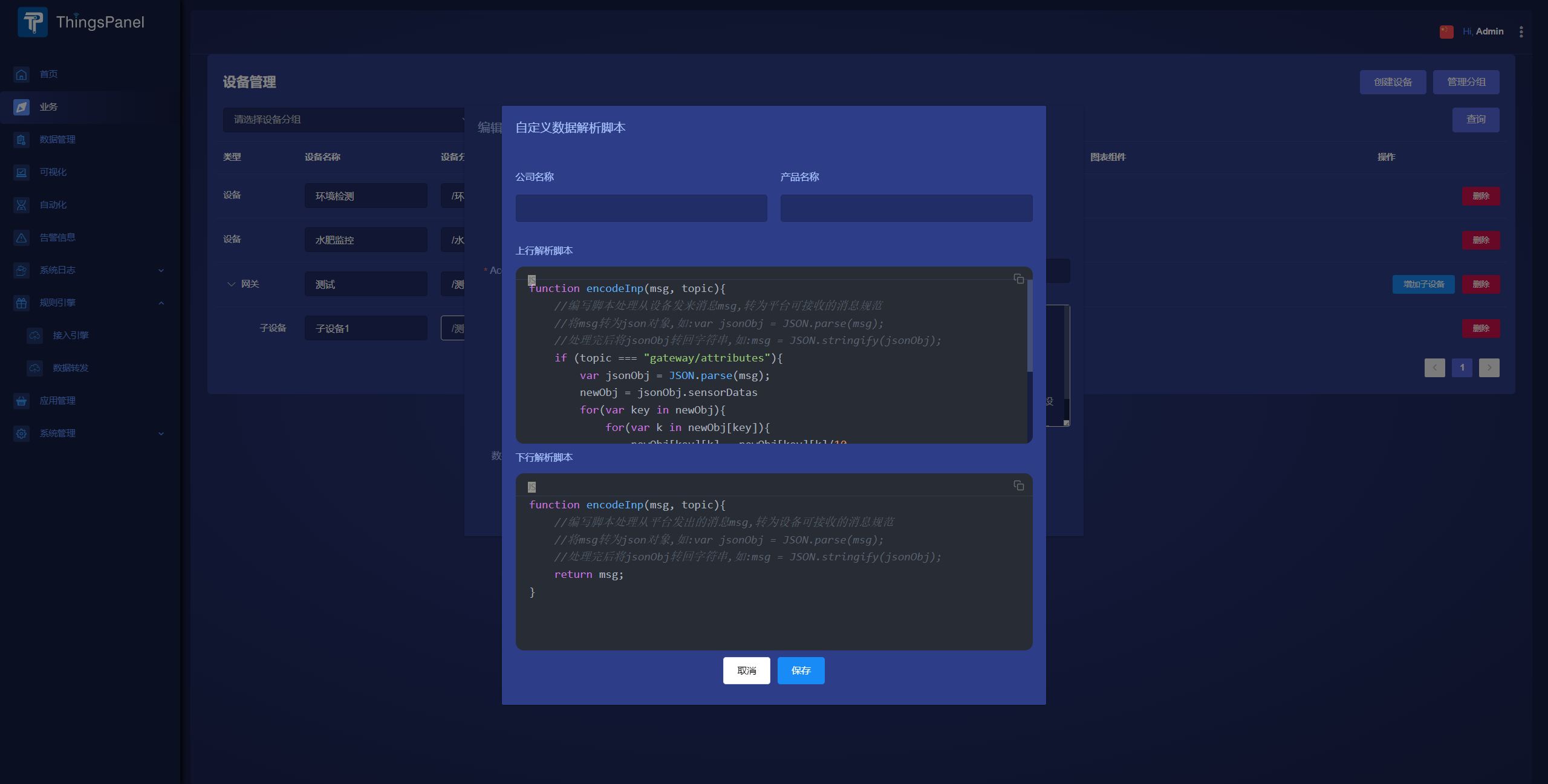
Uplink Parsing ScriptandDownlink Parsing Scriptin the dialog. - Save. Can be selected directly when creating other similar devices.
- Scripts can also process data values.
- See example below.
Example
Platform Standard Format for Gateway:
{
	"TH180001": {
		"temp": 26.5,
		"hum": 45.5
	},
	"TH180002": {
		"temp": 26.5,
		"hum": 45.5
	}
}
Non-Standard Device Format:
{
	"sensorDatas": {
		"TH180001": {
			"temp": 265,
			"hum": 455
		},
		"TH180002": {
			"temp": 265,
			"hum": 455
		}
	},
	"type": 2
}
Uplink Script Example:
- Analyze: Extra nesting layer, values need scaling.
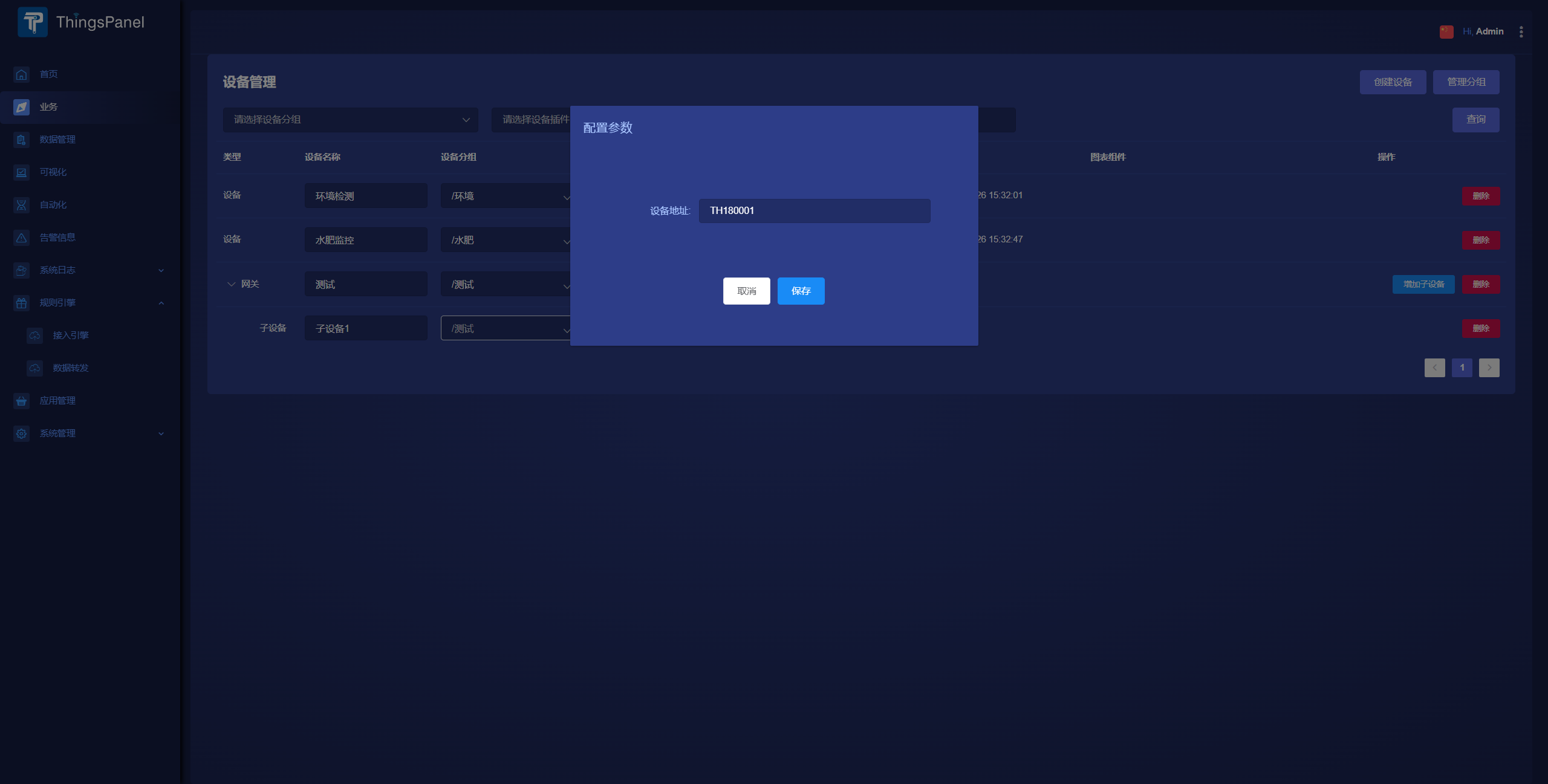
- Create Gateway Device, add two sub-devices. (Sub-device address filled in parameters, must be unique in gateway).
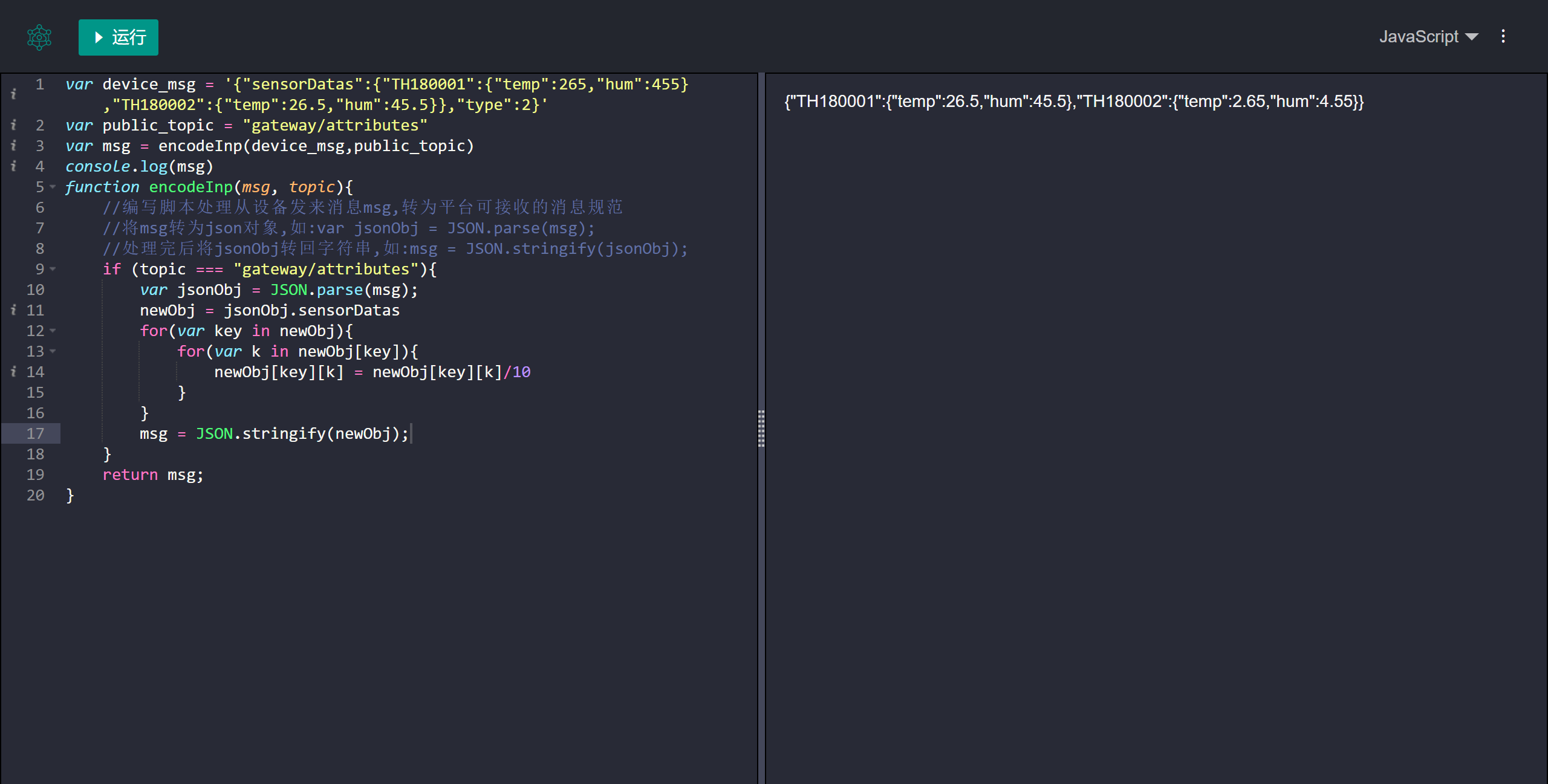
- Write Code:
// Debug: Place file in folder, run `node ThingsPanelScriptTestDemo.js`
function encodeInp(msg, topic){
    // Convert custom msg to json
    // Input: topic string
    // Input: msg byte[] array
    // Output: string
    var msgString = String.fromCharCode.apply(null, msg)
    var jsonObj = JSON.parse(msgString);
    newObj = jsonObj.sensorDatas
    for(var key in newObj){
        for(var k in newObj[key]){
	    newObj[key][k] = newObj[key][k]/10
	}
    }
    msg = JSON.stringify(newObj);
    return msg;
}
// String to Byte Array
const decodedMsg = new Uint8Array([...'{"sensorDatas":{"TH180001":{"temp":265,"hum":455},"TH180002":{"temp":26.5,"hum":45.5}},"type":2}'].map(c => c.charCodeAt(0)));
console.log(decodedMsg);
// Debug Code
const topic = "gateway/attributes";
const encodedMsg = encodeInp(decodedMsg, topic);
console.log(encodedMsg); // {"TH180001":{"temp":26.5,"hum":45.5},"TH180002":{"temp":2.65,"hum":4.55}} Note: Output must valid JSON - Use online JS tool (e.g. lddgo.net).
- Paste function into script and save (in Gateway Edit Params).
- Downlink script is similar.