OPC-UA
What is OPC UA
OPC-UA (OPC Unified Architecture) is a new generation communication standard protocol in industrial automation, gradually replacing traditional OPC protocols. It provides a secure, reliable, platform-independent industrial communication solution. ThingsPanel achieves seamless integration with industrial devices by integrating OPC-UA device connectivity services, providing strong support for industrial IoT applications.
OPC-UA is a machine-to-machine communication protocol for industrial automation with the following features:
-
Platform Independence:
- Cross-platform deployment
- Operating system independent
- Supports multiple programming languages
-
Security:
- Built-in encryption
- Certificate authentication
- Data transmission security
-
Scalability:
- Custom data models
- Flexible information modeling
- Complex data structures
OPC-UA Device Connectivity Service
This service is an Enterprise Edition feature. Please contact us if needed.
Features
-
Device Discovery
- Auto scan devices and nodes in OPC-UA server
- Supports recursive traversal and filtering
- Real-time status updates
-
Data Collection
- Multi-device concurrent collection
- Auto subscribe to data changes
- Data caching and batch reporting
- Built-in retry mechanism
-
Platform Integration
- Seamless integration with ThingsPanel
- Device configuration management
- MQTT real-time messaging
- HTTP API support
-
Monitoring
- Complete logging system
- Service status monitoring
- Auto recovery mechanism
- Performance metrics
System Requirements
- Go 1.22 or above
- Windows/Linux/MacOS
- OPC-UA Server supporting standard protocol
Steps
Register Service
- Login as super user - App Management - Connectivity Service Management - Add New Service.
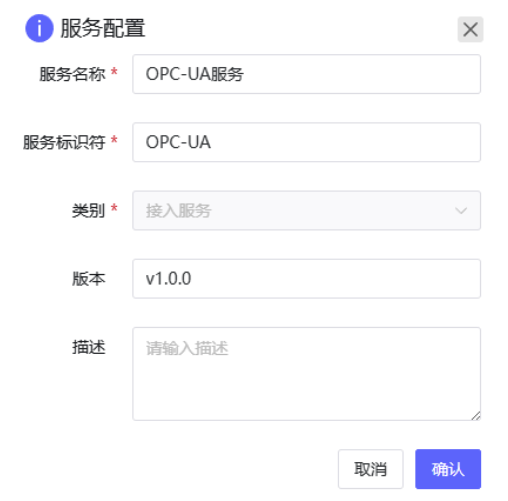
- Configure Service.
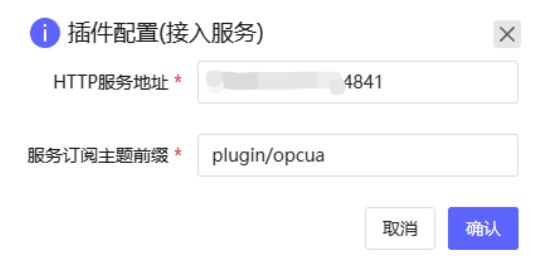
Use Service
- Select registered service.
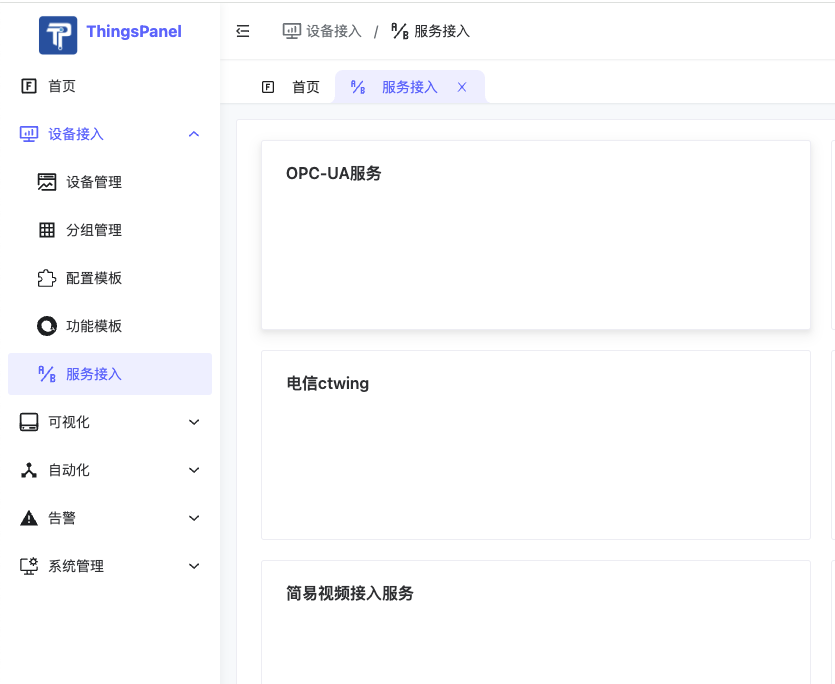
- Add access point, fill in OPC-UA server address, etc.
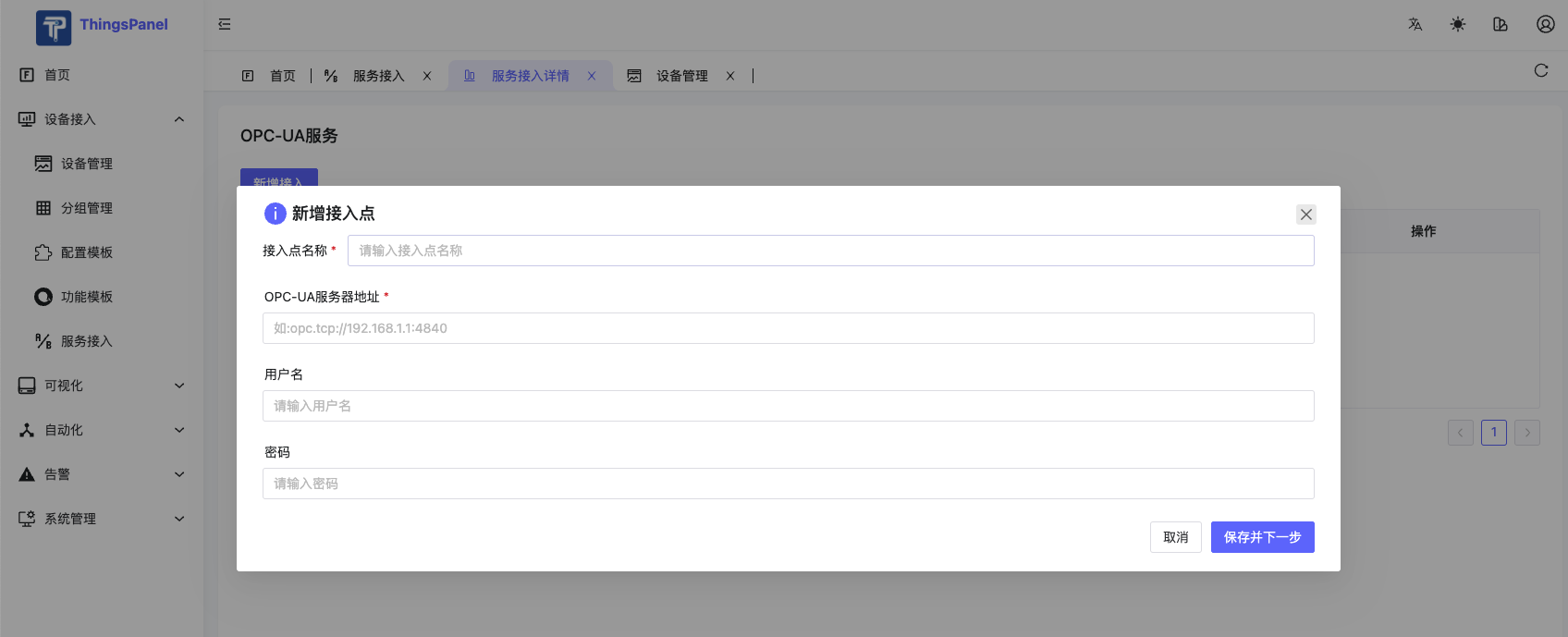
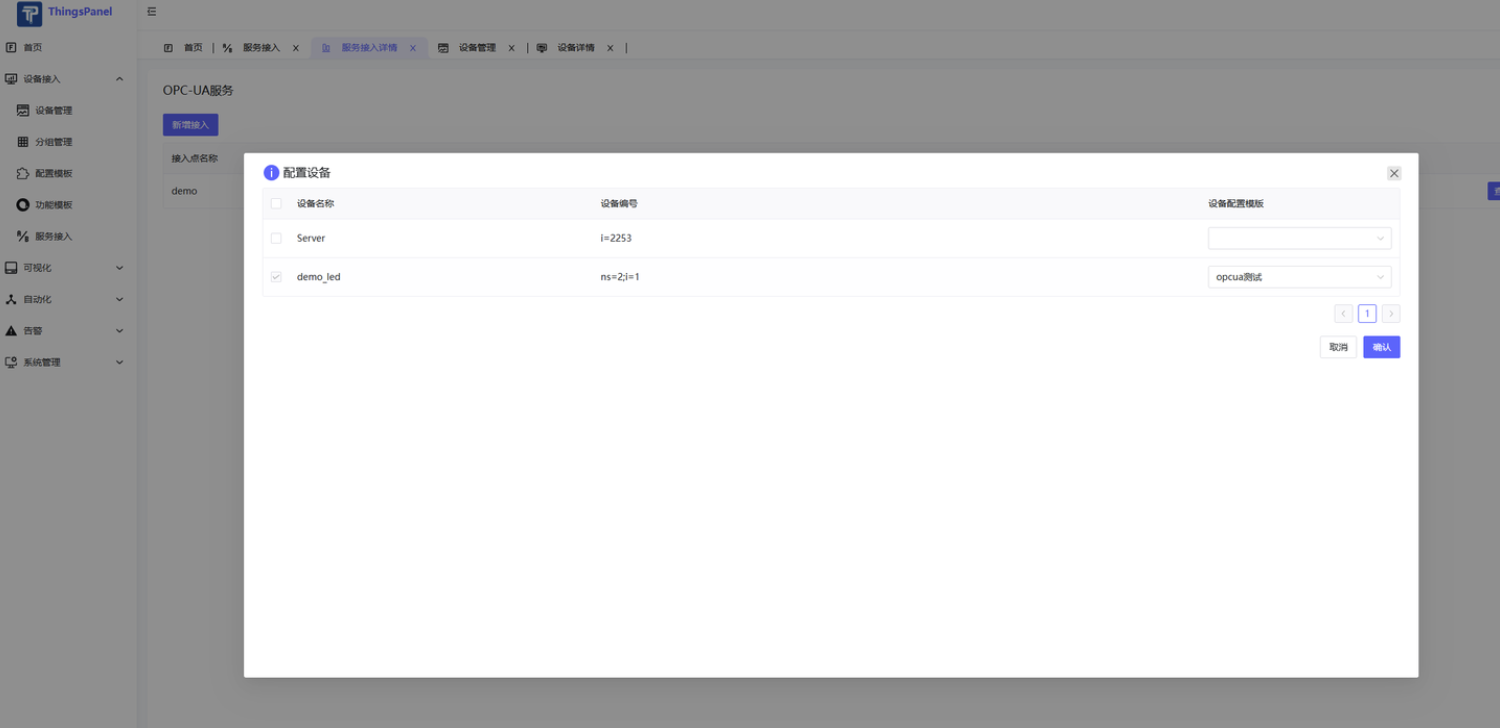
- Select device to add (Pre-create a device template, select this service in protocol config).
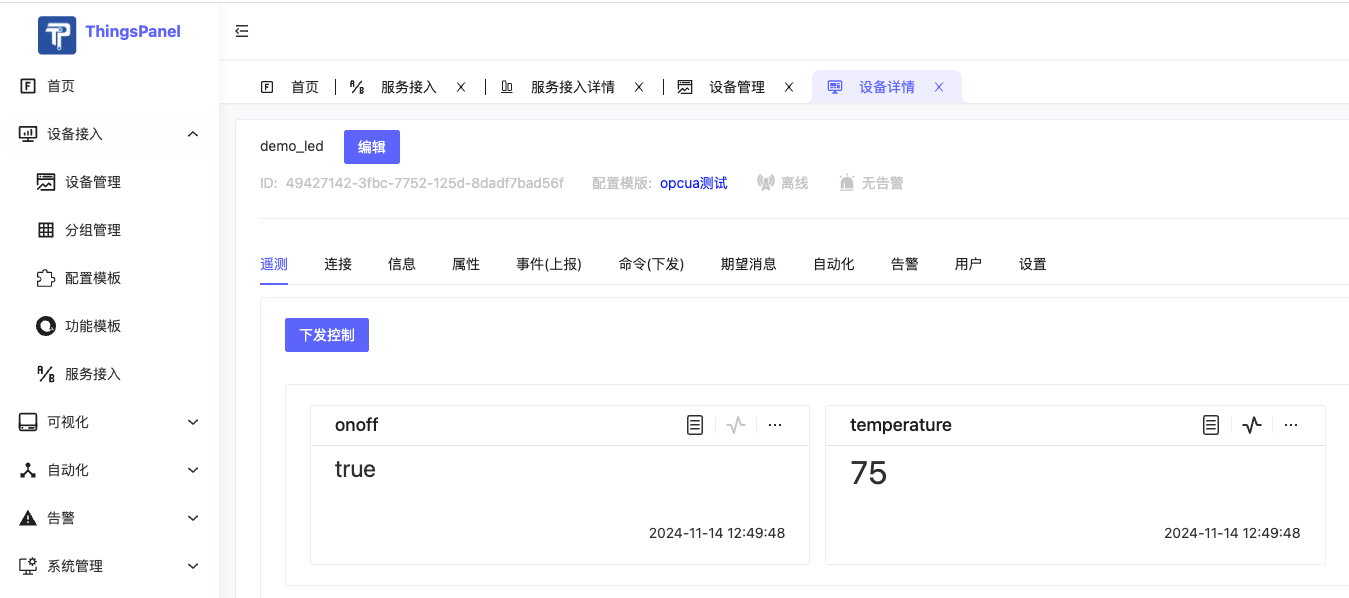
- View device after adding.
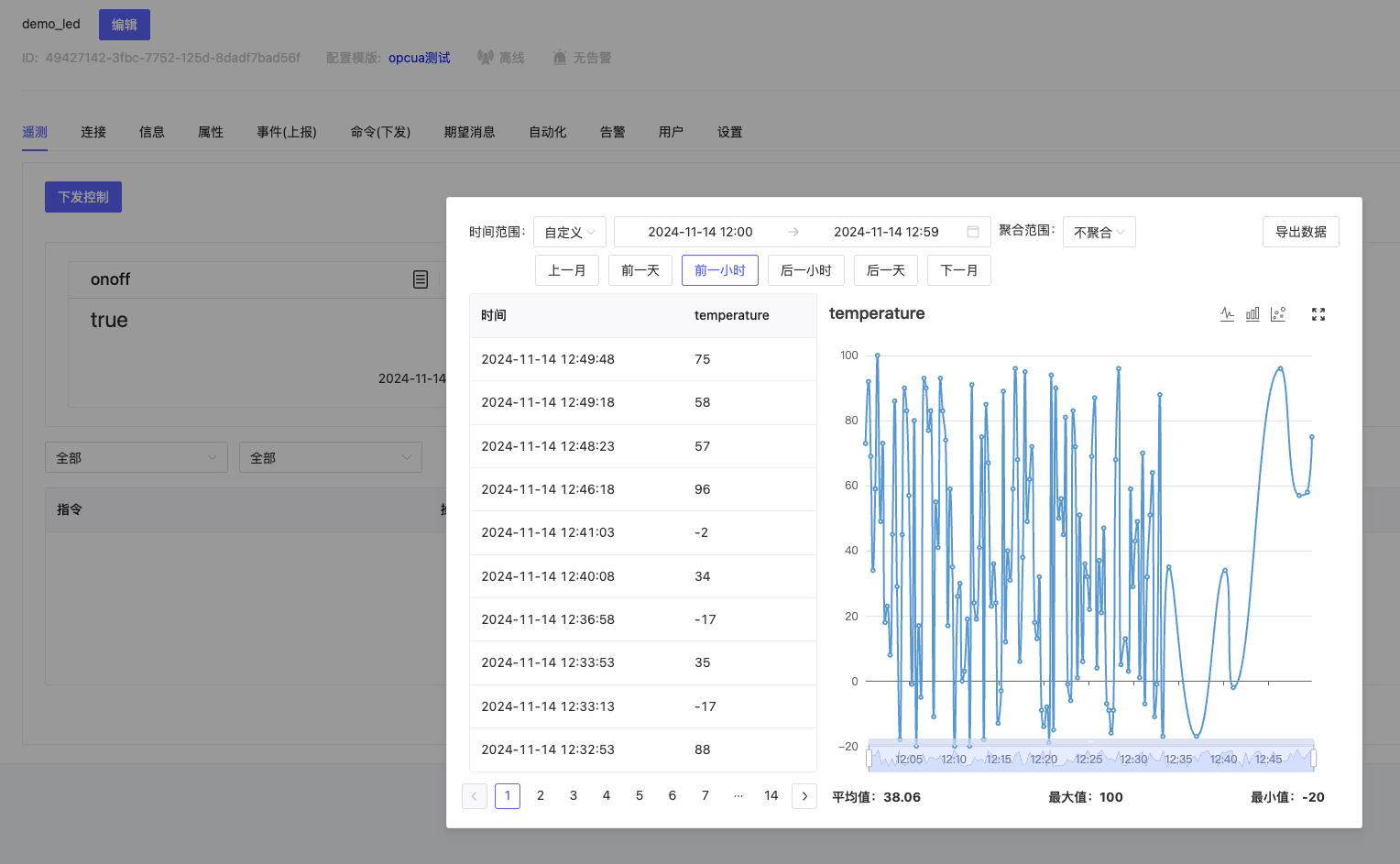
- Data change reporting.
Other Methods: Via Rule Engine
ThingsPanel connects to OPC-UA device [Via Rule Engine]
https://www.bilibili.com/video/BV1G14y1a7iN/?spm_id_from=333.999.0.0