LoRaWAN Gateway (ChirpStack)
ChirpStack is an open-source LoRaWAN(R) Network Server which can be used to set up LoRaWAN networks. ChirpStack provides a web-interface for the management of gateways, devices, and applications, as well as for the data-integration with major cloud providers, databases, and services commonly used for handling device data. ChirpStack provides a gRPC based API that can be used to integrate or extend ChirpStack.
ThingsPanel has realized the integration with ChirpStack.
Device Connectivity Service Introduction
For ChirpStack access via Device Connectivity Service, you can acquire devices and integrate device data into ThingsPanel by providing API Key, IP address, and Application ID.
Integration Process
Prerequisites
- ChirpStack is deployed and LoRaWAN gateways are connected. If you don't have devices, you can refer to Build LoRaWAN Server ChirpStack from Scratch and Simulate Device Onboarding.
- ThingsPanel platform is deployed, and ChirpStack Device Connectivity Service is registered in ThingsPanel.
Register Device Connectivity Service Steps
Refer to the README.md of the device connectivity service repository: https://github.com/ThingsPanel/service_plugin_chirpstack
Access Steps
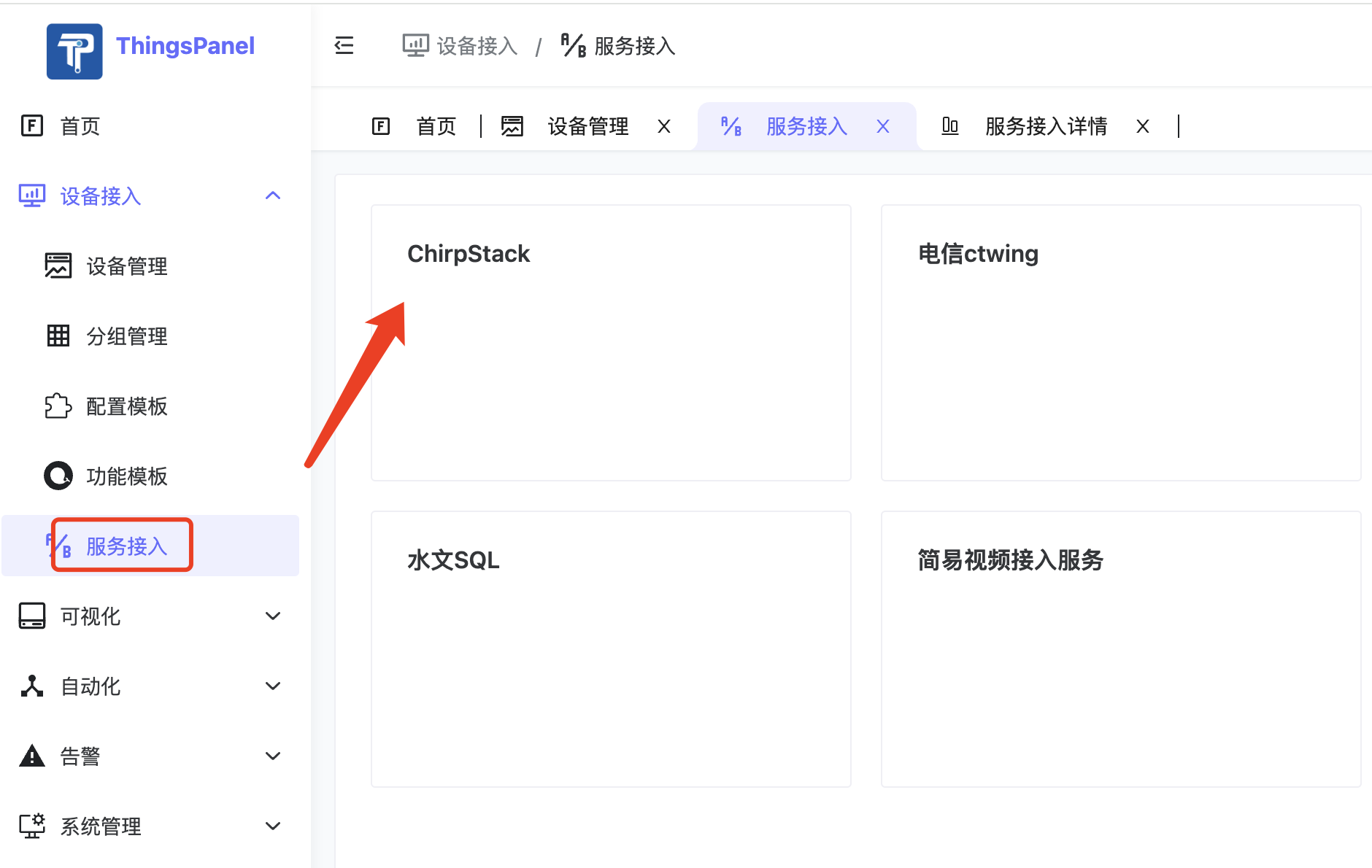
- Select ChirpStack Device Connectivity Service in "Service Access".
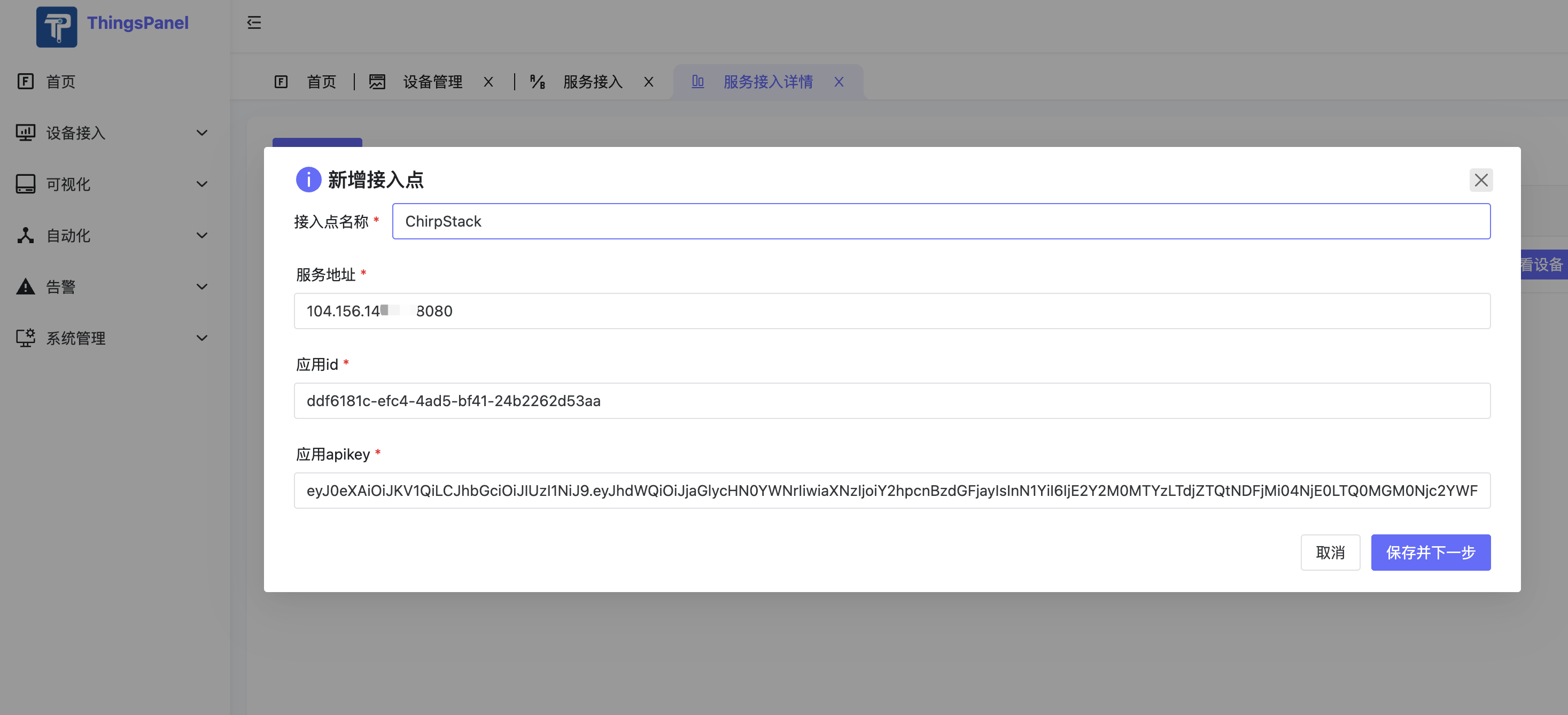
- Add new Access Point.
Fill in ChirpStack API Key, IP Address, and Application ID.
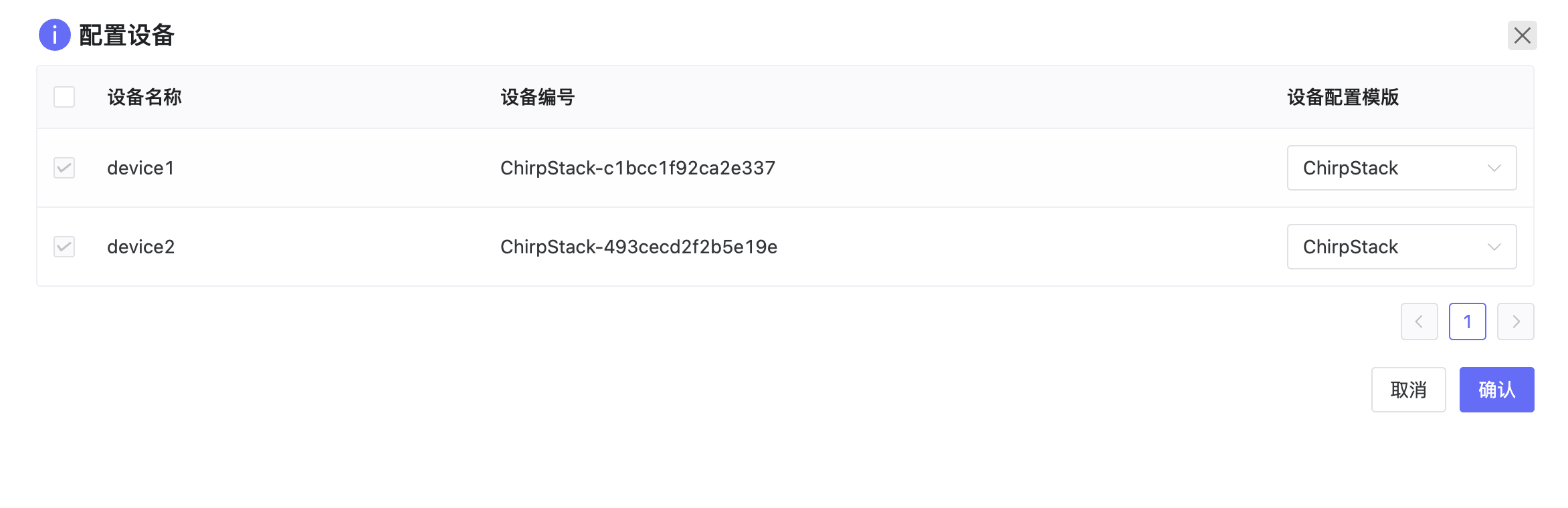
- Configure device list, filter devices to be accessed.
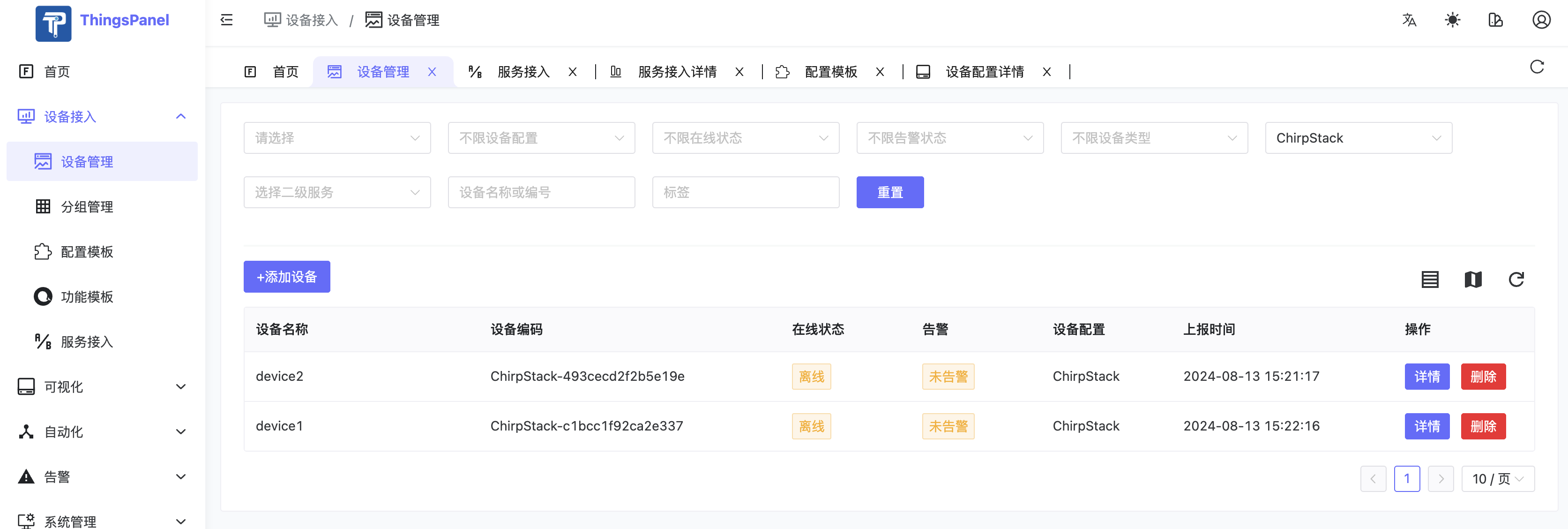
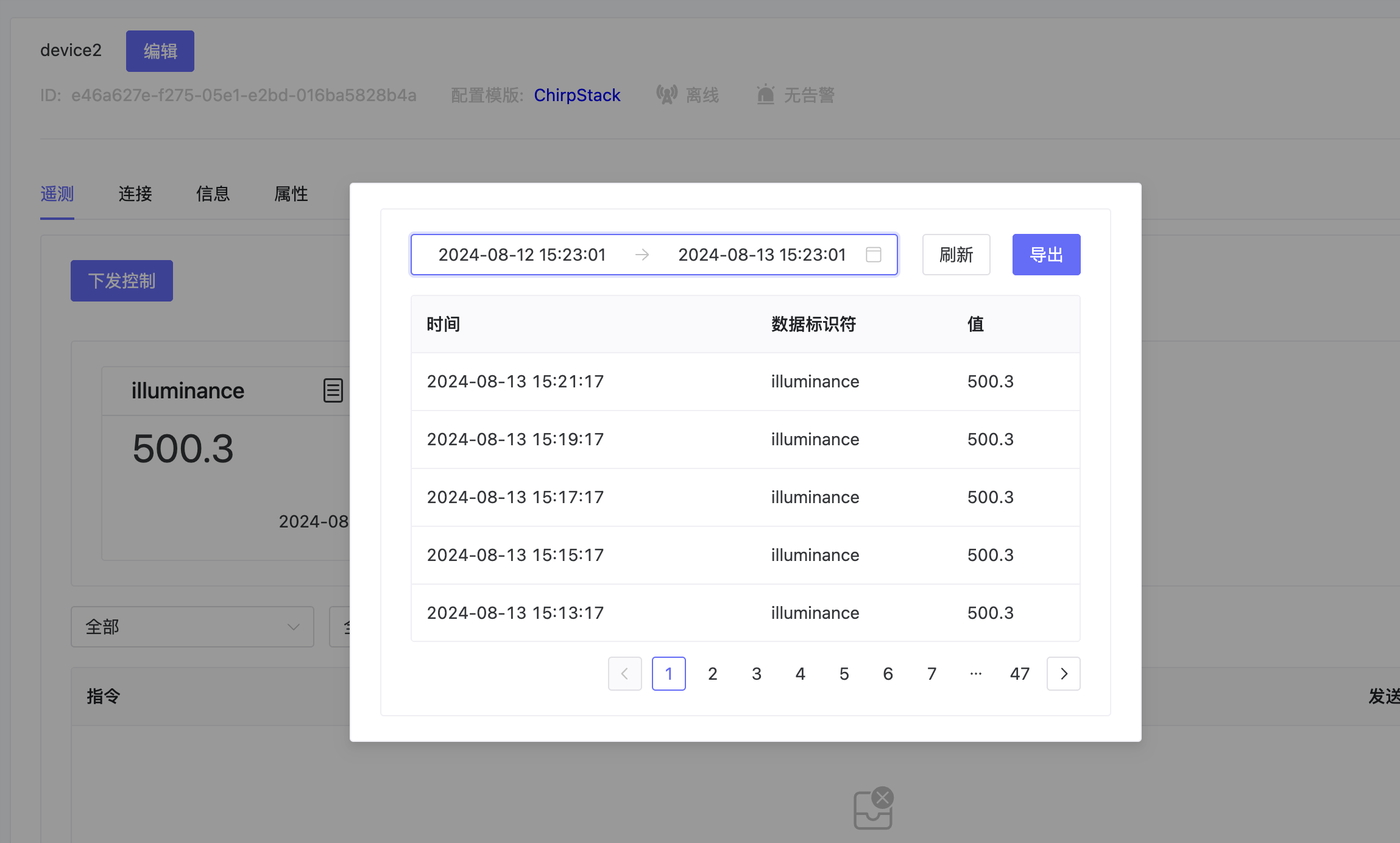
- Complete access, view accessed devices.
Code Repository
ChirpStack Device Connectivity Service Code: https://github.com/ThingsPanel/service_plugin_chirpstack