China Mobile OneNet Integration
This article introduces how to quickly connect devices from the OneNet platform to the ThingsPanel platform.
Device Connectivity Service Introduction
OneNet platform provides multiple access methods.
- service_plugin_onenet Device Connectivity Service:
- This service accesses data via the HTTP push service of the OneNet platform.
Integration Process
Prerequisites
- Register a OneNet account.
- Register or deploy ThingsPanel platform, and deploy OneNet Device Connectivity Service.
- OneNet Device Connectivity Service is registered to the platform.
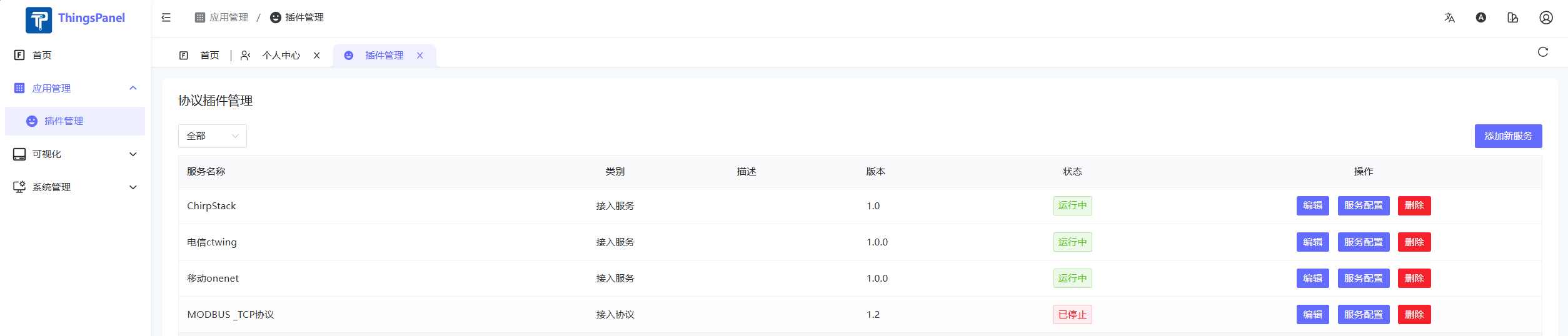
Steps
-
OneNet Platform Configuration
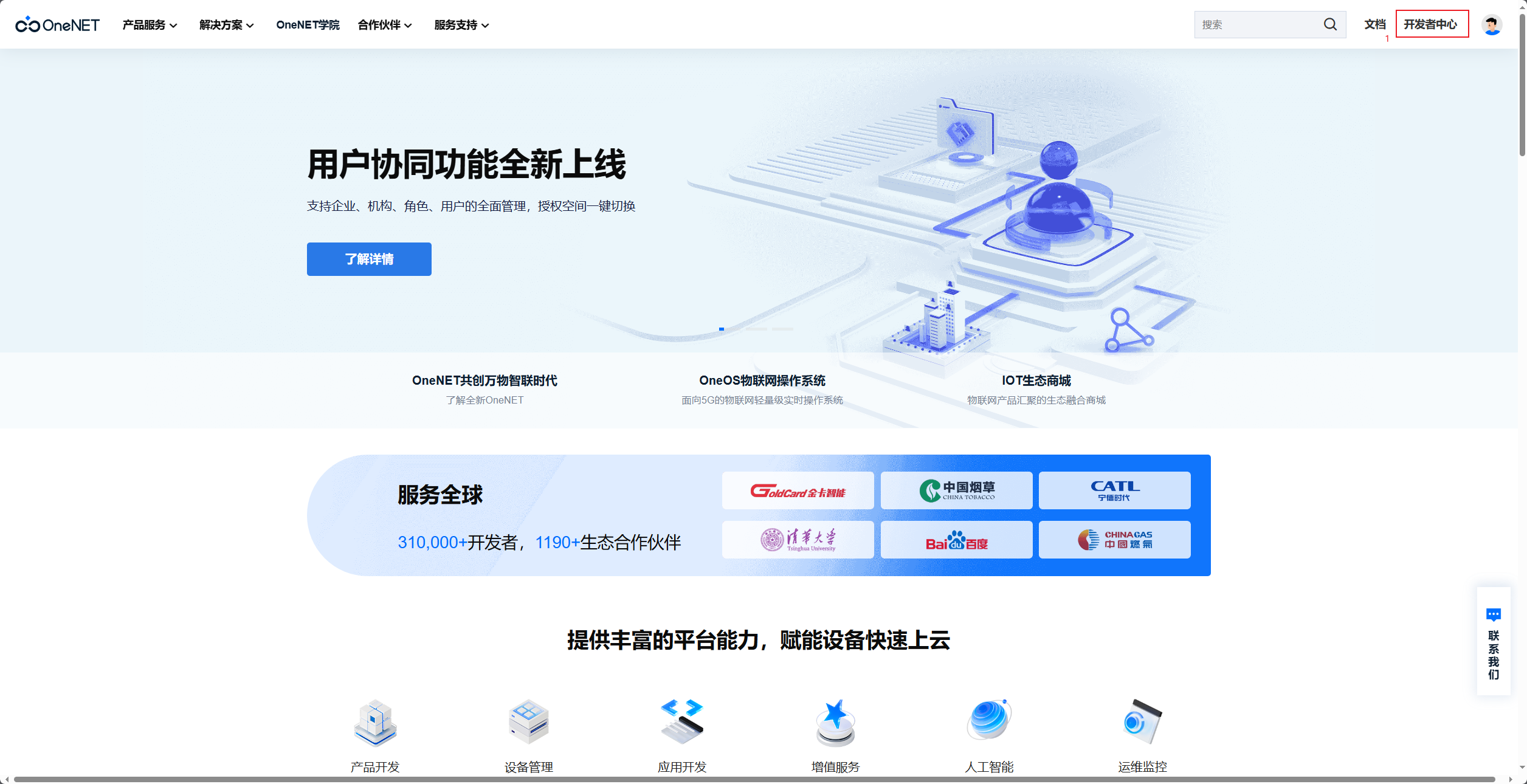
- Login to OneNet platform, enter Developer Center.
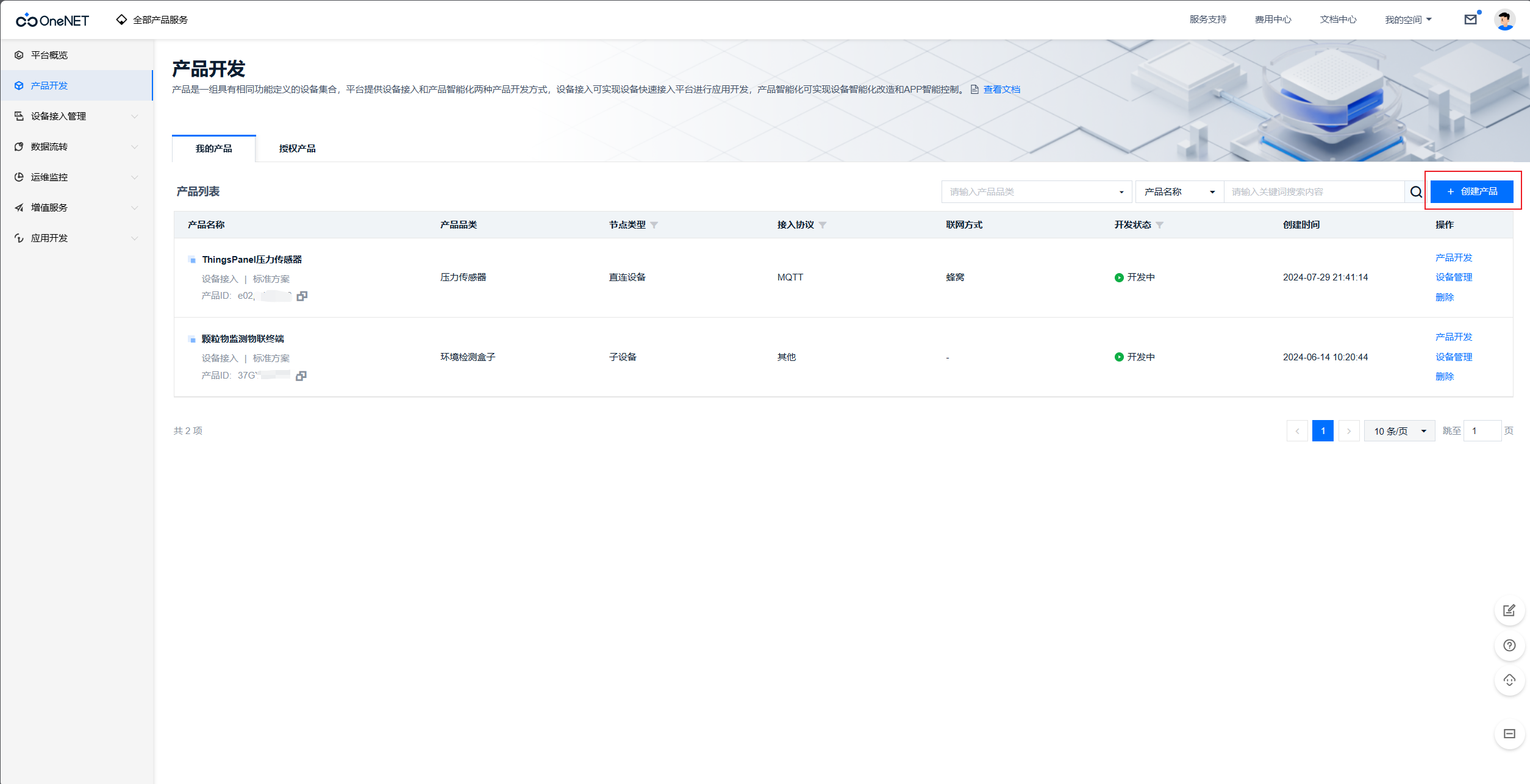
- Create Product.
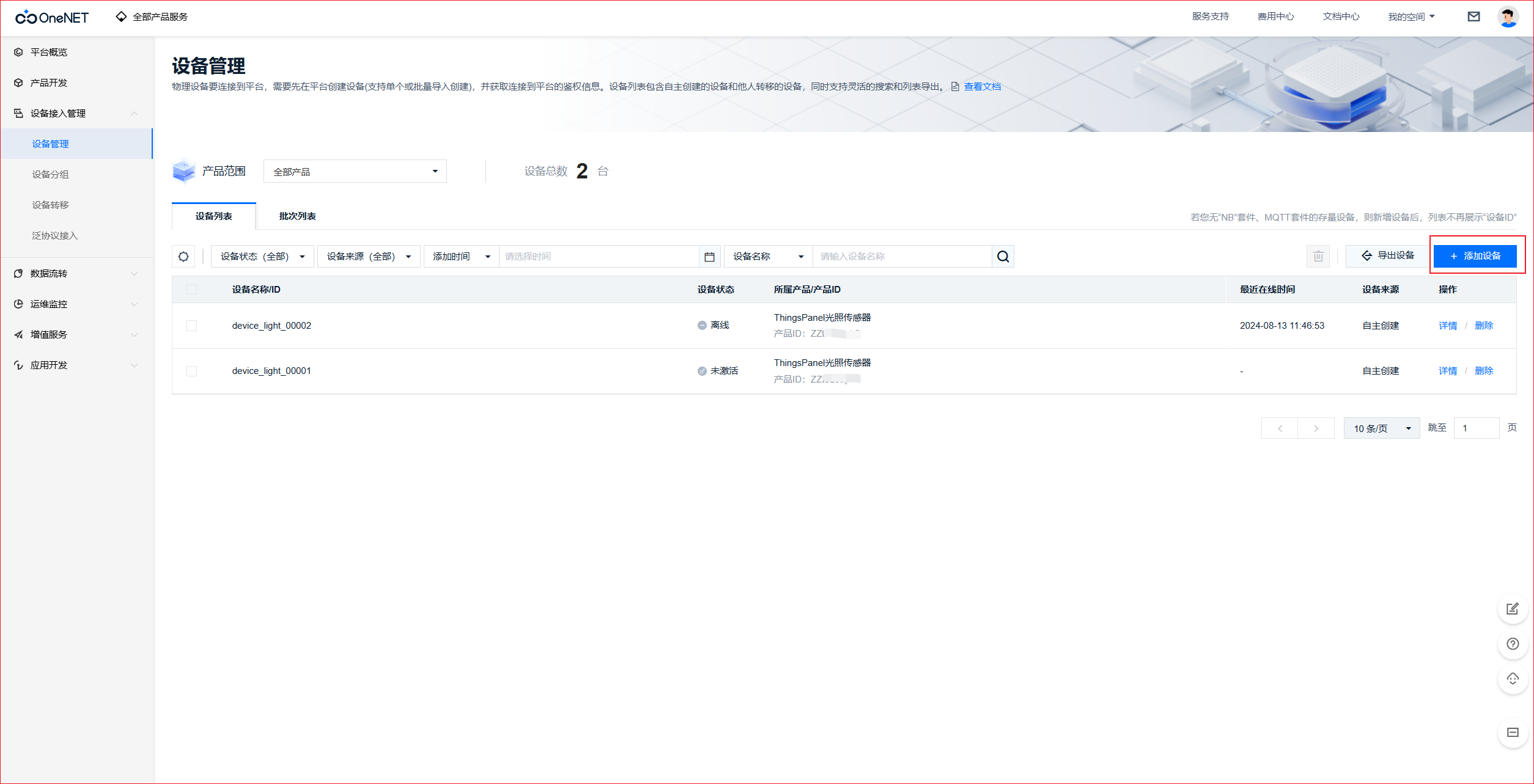
- Add Device.
- Set Data Forwarding (Stream).
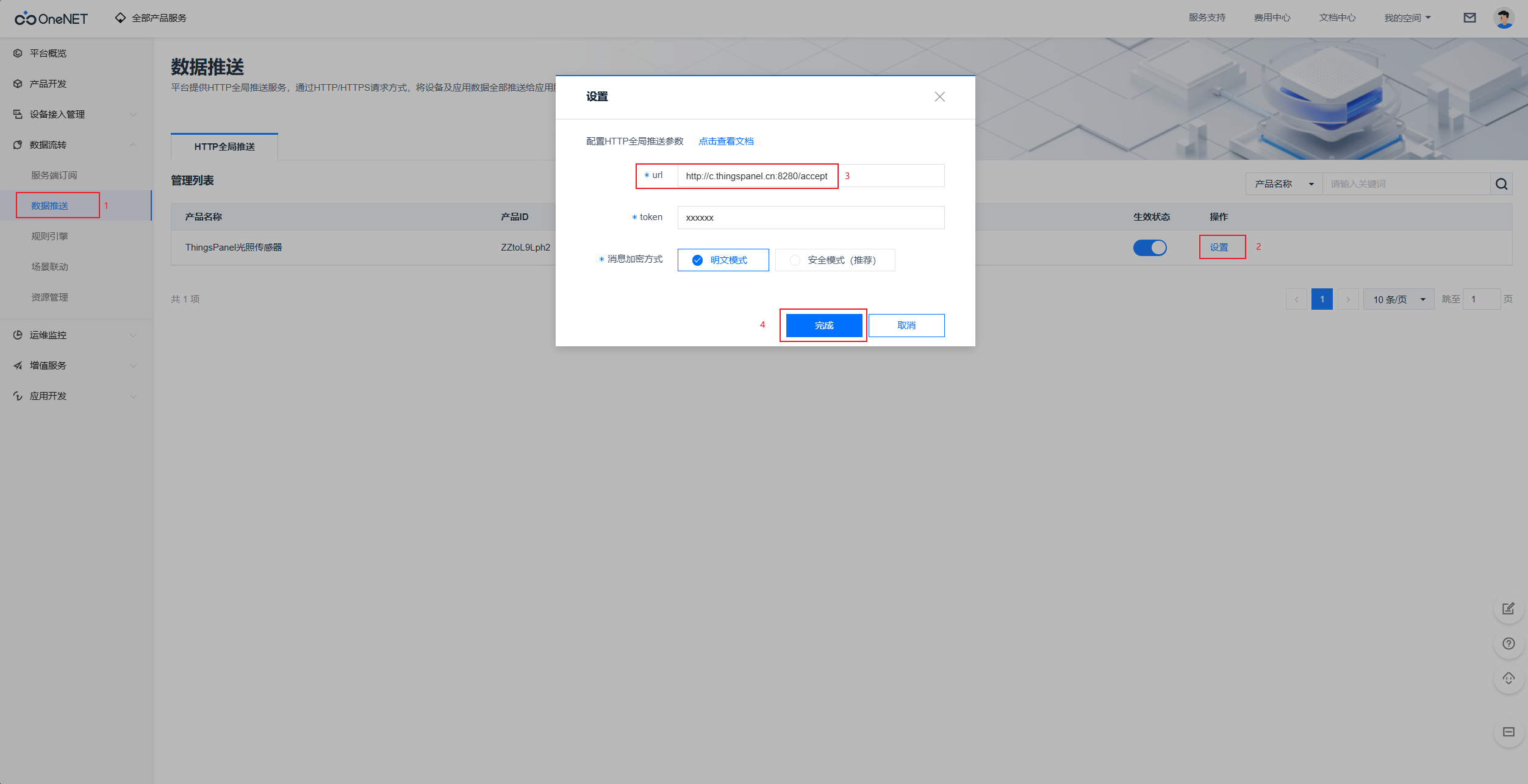
c.thingspanel.cn:8280is the service address and port of the device connectivity service.
- Simulate Device Pushing Data.
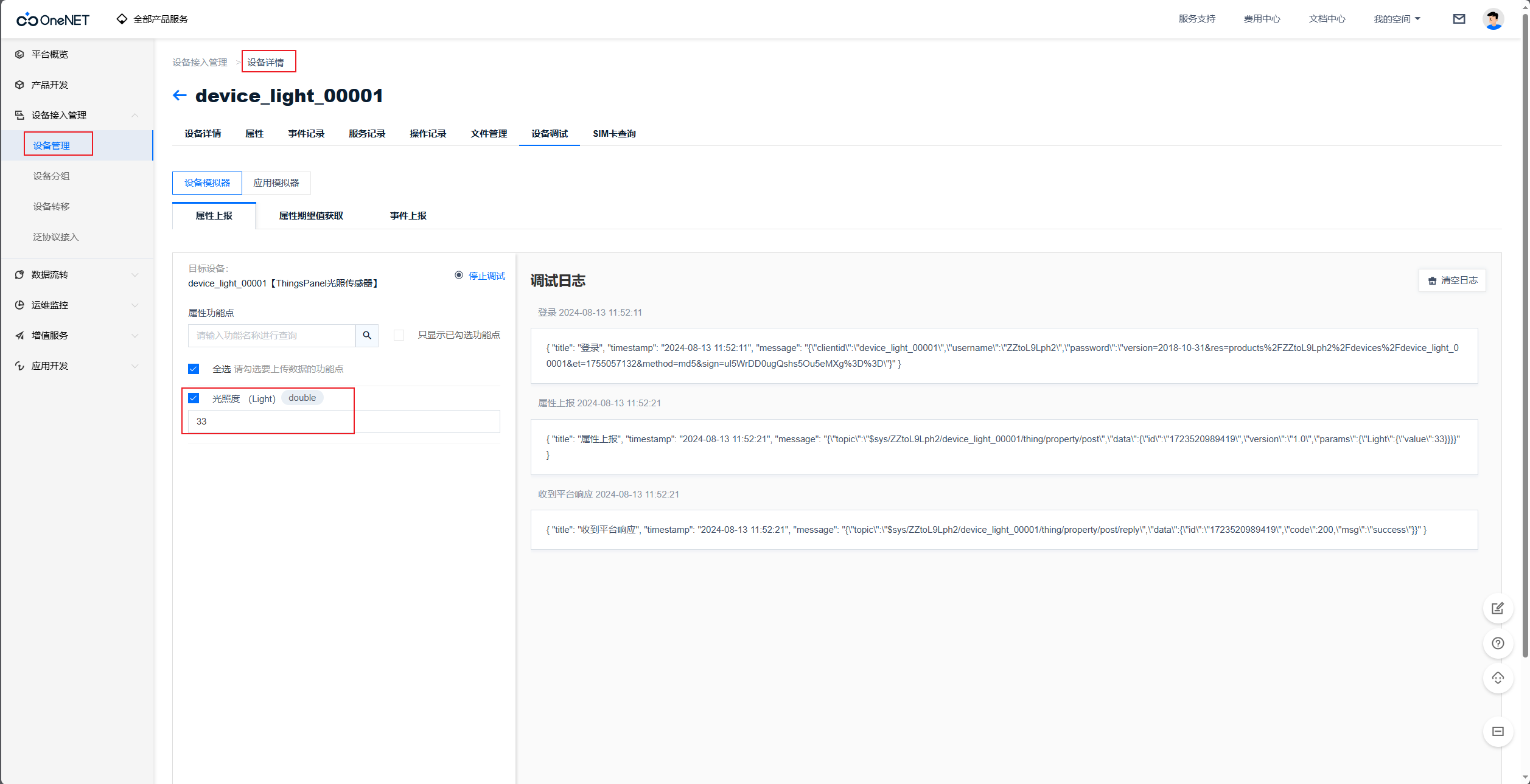
- Get Product ID and ACCESS_KEY.
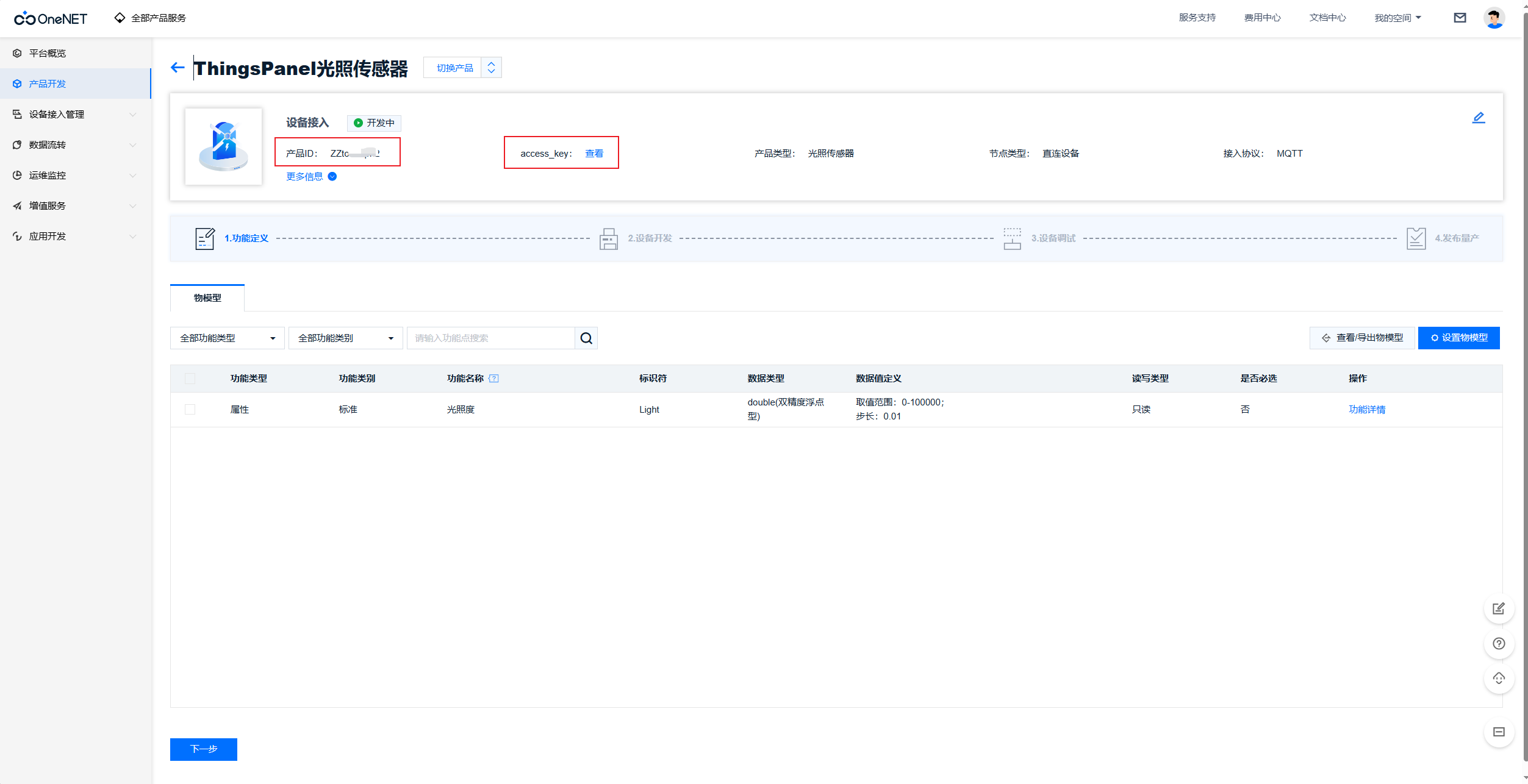
- Login to OneNet platform, enter Developer Center.
-
ThingsPanel Platform Configuration
- If no device template for this service exists, create one.
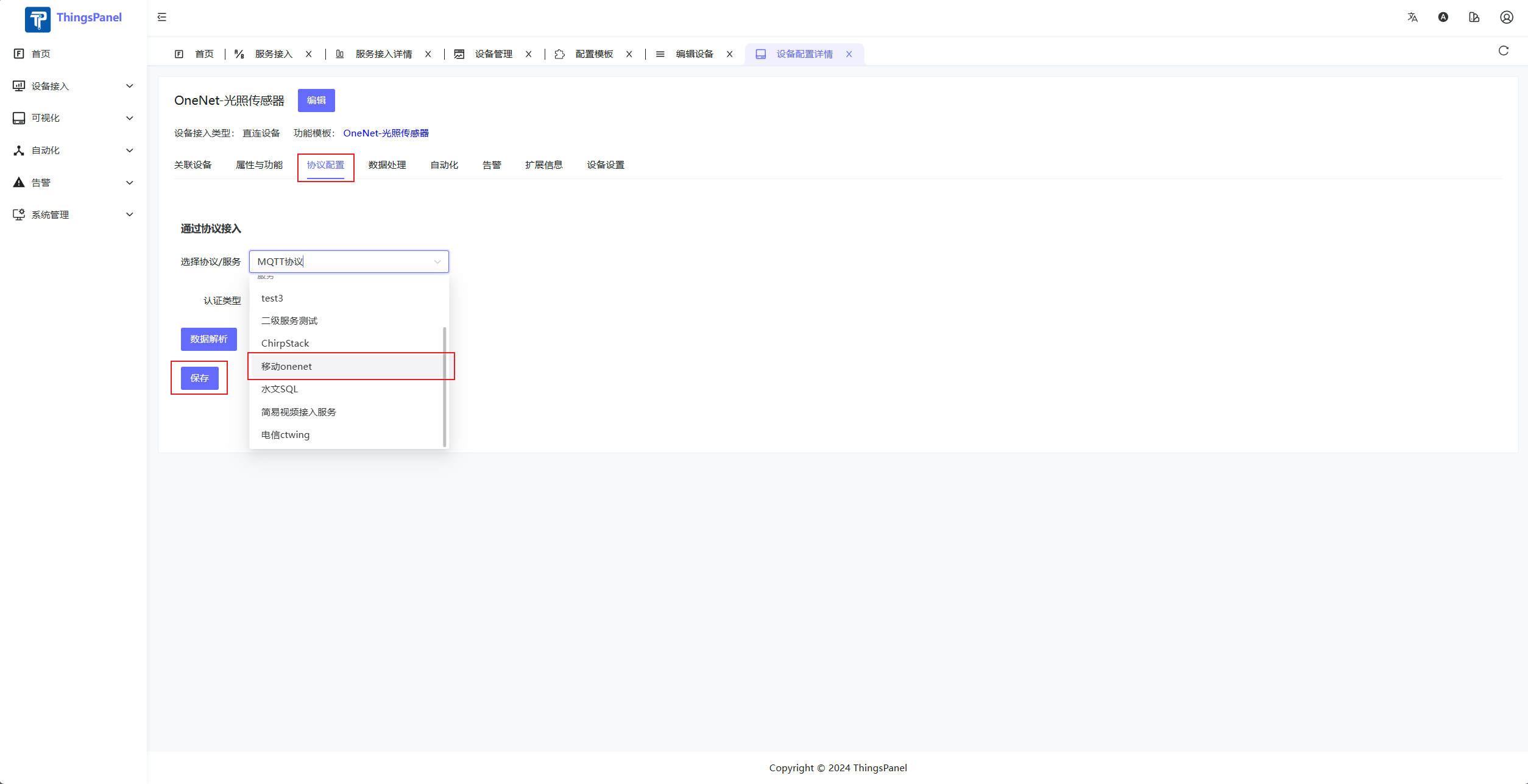
- Enter Service Access page.
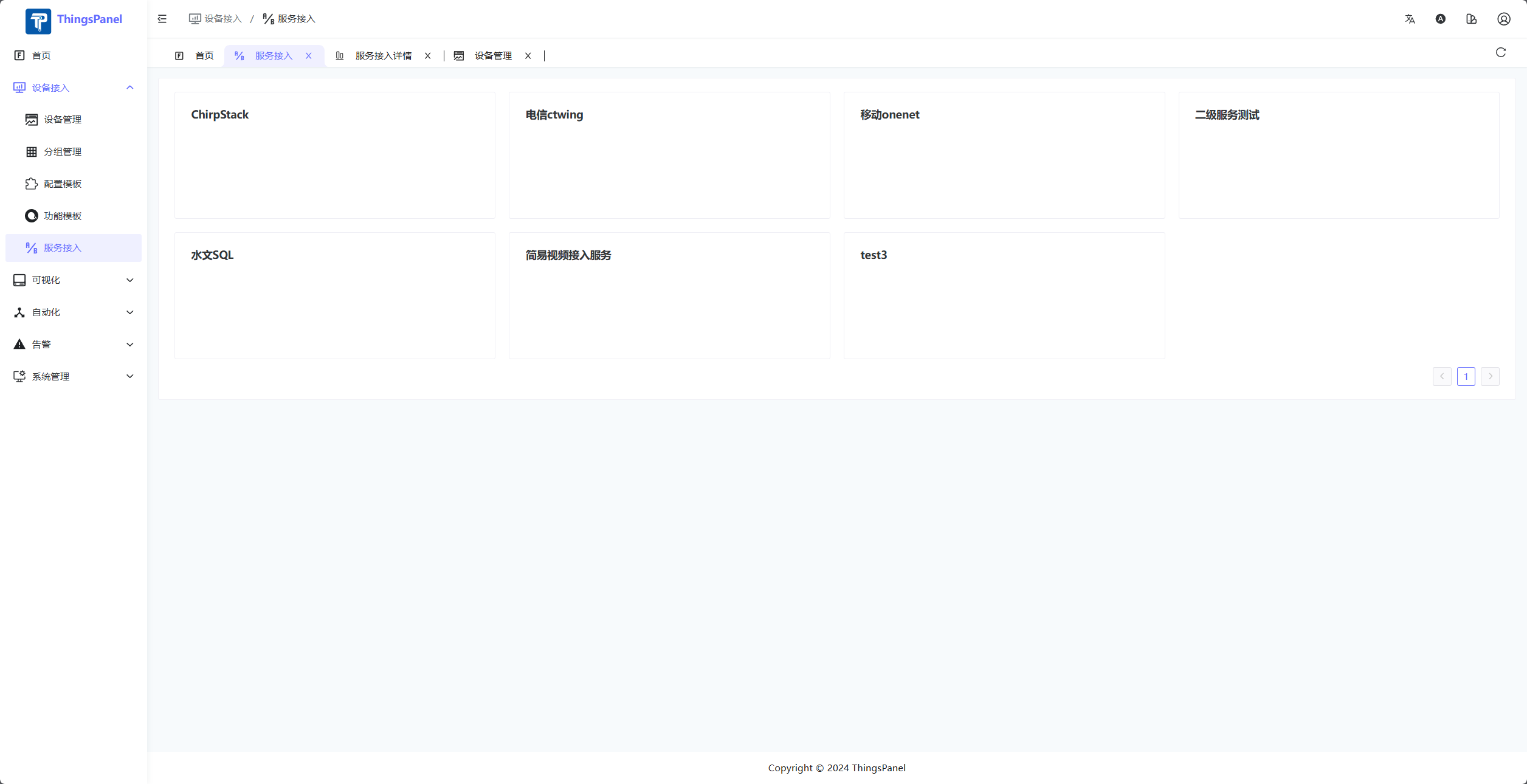
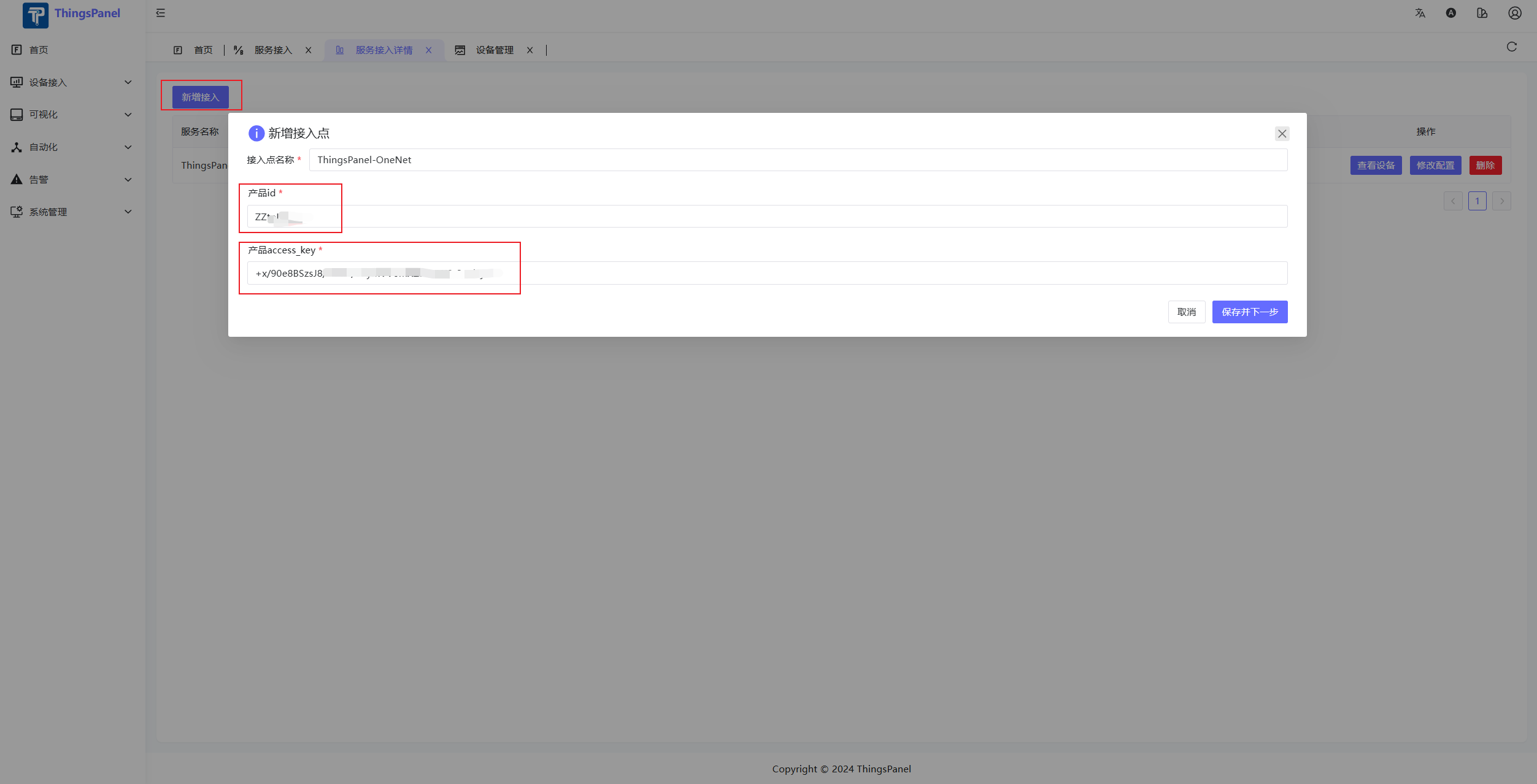
- Add Service Access Point.
- Select Devices to Access.
- Note: This list only displays devices that have pushed data.
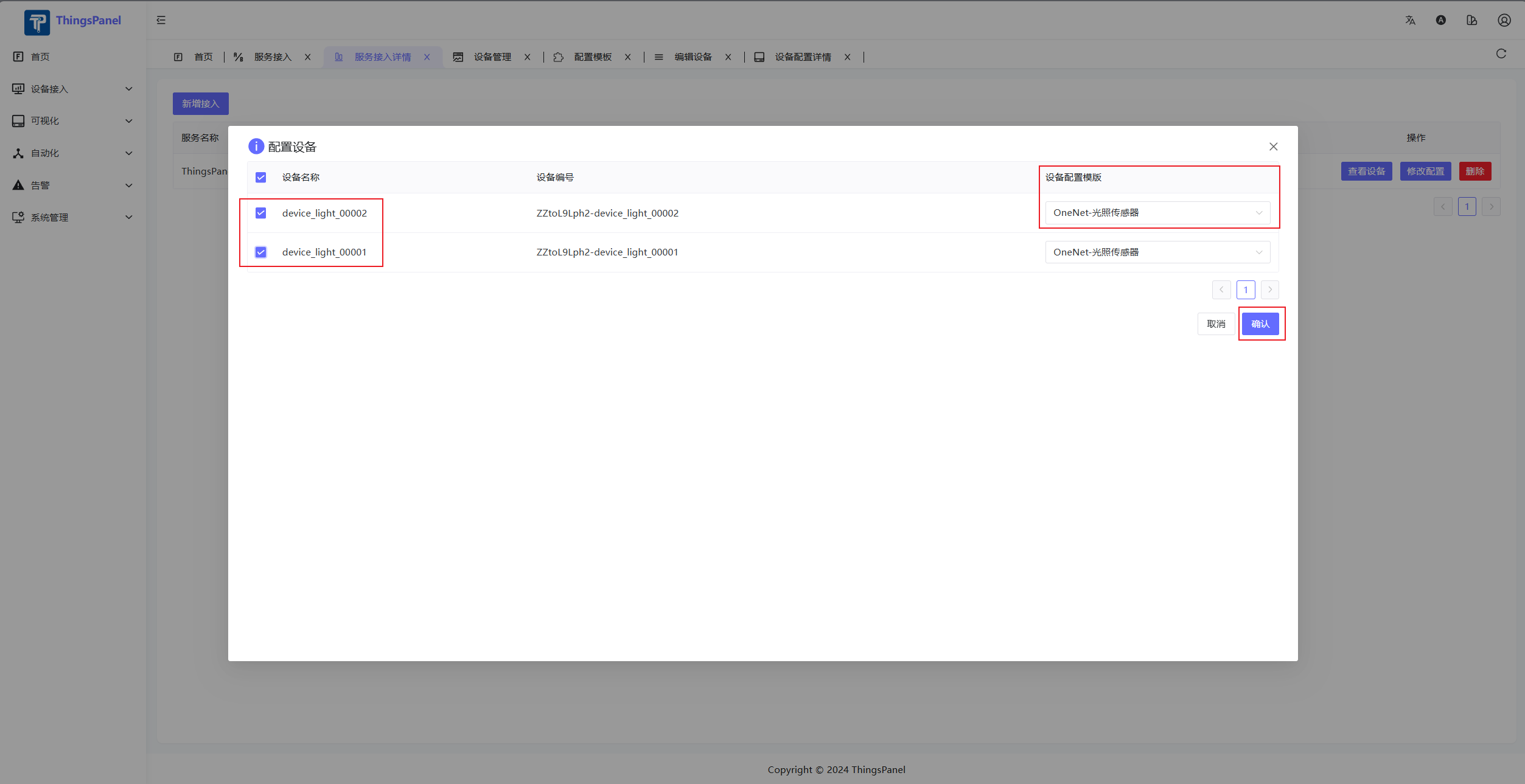
- Note: This list only displays devices that have pushed data.
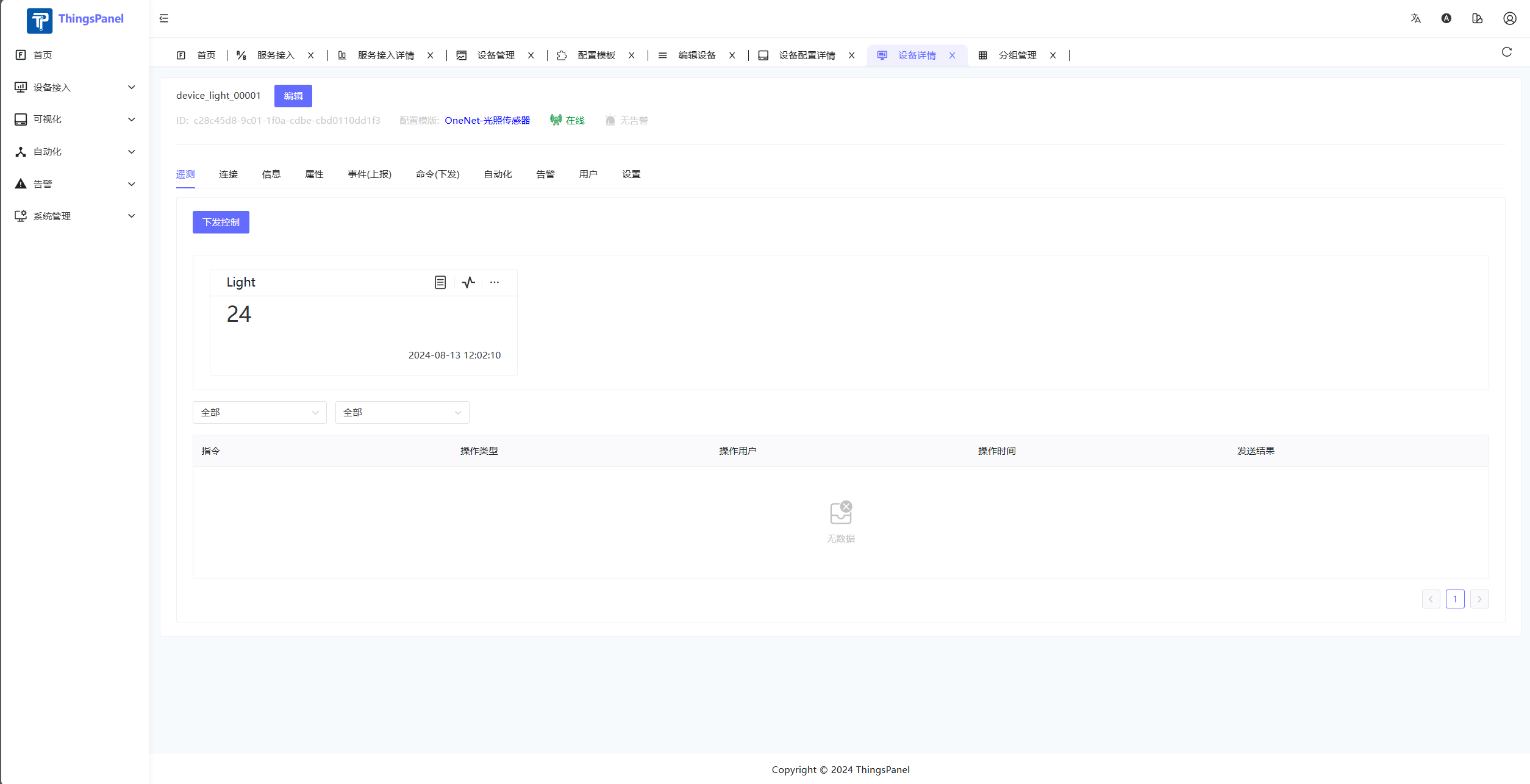
- After data push, view data in device details.
- If no device template for this service exists, create one.
Others
ThingsPanel provides a Device Connectivity Service development template. Other integration methods can be developed by yourself referring to the Device Connectivity Service development process.